The problem
Design a care app for the people other apps leave out
Arranging care usually means phone calls, waiting and telling the same story again. Health apps rarely help, because they assume good eyesight, steady hands and confidence with phones. I wanted one place to find care and keep track of your health that works for the people who need it most, and for the families who arrange care for them.
People with disabilities
Need support at home and an app they can use by voice, by touch or with bigger text.
Older adults
Need nursing, tests at home and reminders, without a lot to learn.
Families
Arrange care for a child or a parent, and need to see what's happening from their own phone.
Research
I had no budget for interviews, so I wrote down my assumptions and checked them against published research
Three proto-personas, built from assumptions
Checking the assumptions
All five held up against published research, and each one shaped the design.
- People who need care also struggle with standard appsSo Madad starts from accessibility. WHO, 2023
- Older people use phones, but small, light text keeps them outSo Madad uses large type and lets people make it bigger. Pew, 2022 · NN/g, 2019
- Touch alone isn't enoughSo Madad has a voice welcome, read-aloud and voice commands. WHO, 2019
- Families do a lot of the arrangingSo Madad lets you book care for someone else. WHO, 2020
- Buttons and text need to be bigger than usualSo Madad uses full-width buttons and has a screen for text size and contrast. WCAG 2.1
Looking at existing apps
The gap: Paziresh24 books doctors, the NHS App handles GP care and Cera arranges care at home. None of them puts doctors, care at home and health tracking in one place, built around people who find apps hard.
Principles
Six rules I checked every screen against
Brand
A name and a logo about one thing: help
Two letters, two people
The logo joins the Persian letters م and د so they look like two people shaking hands.
Colour and type
Deep blue is for anything you can press, Madad blue for the logo and illustrations, and sky for cards. Rose is for health, and deep rose only for emergencies. Text is navy. The font is Poppins, used large, and the icons come from one outline set.
#3F60A5#678DE0#CCDCFE#D887A7#B0305E#203972Design
The whole app, for you and the people you look after
Who it's for
Madad changes depending on who's using it. Reza uses it for himself. Leila uses it for herself, her son Arash, who doesn't have a phone, and her dad, who shares his care with her. So the app is built around profiles, and every profile has the same layout.
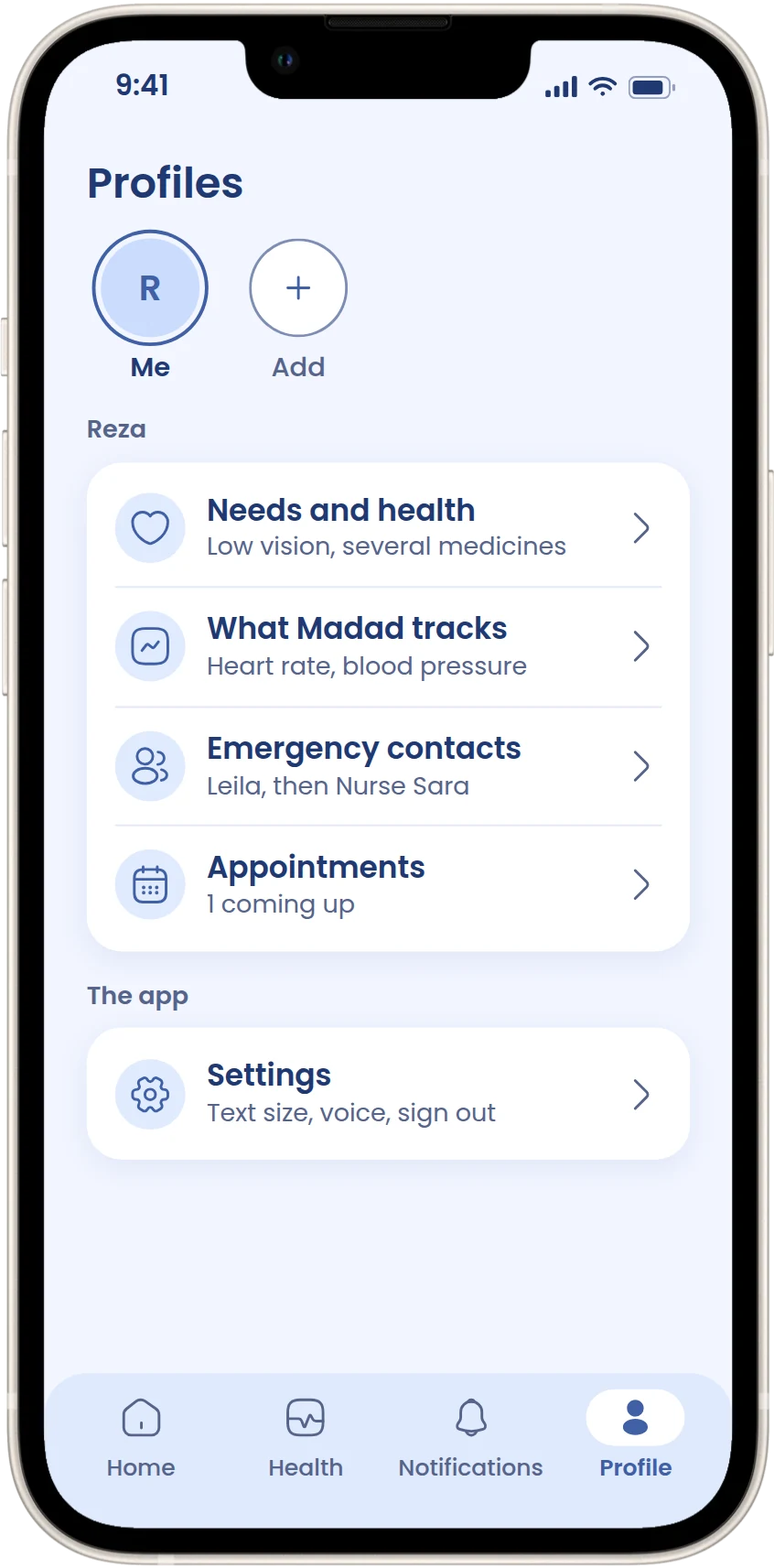 Reza: just meOne profile. He adds Leila as his first emergency contact.
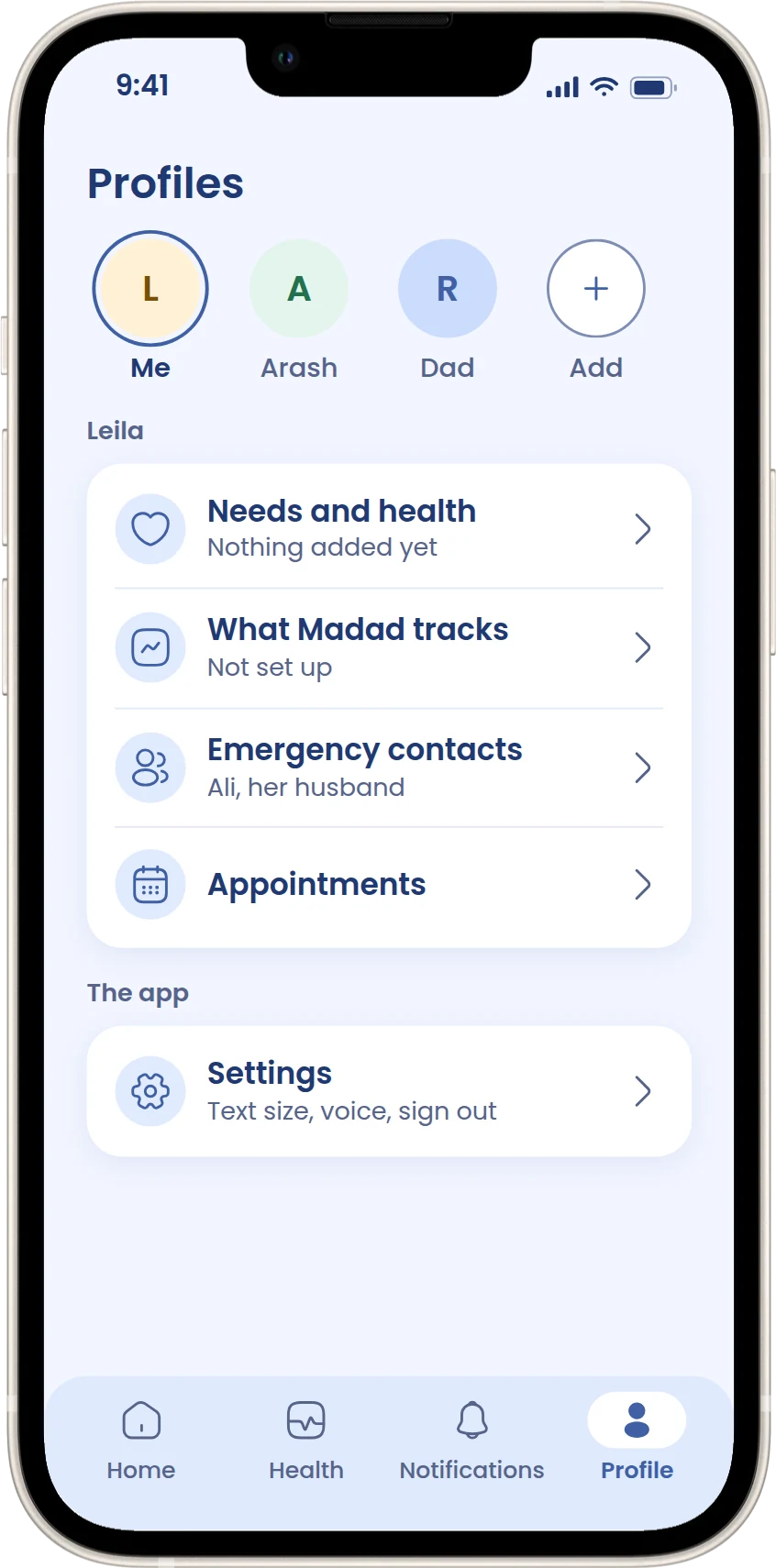 Leila: me and othersA row of circles at the top of Home and Profile switches everything to that person.
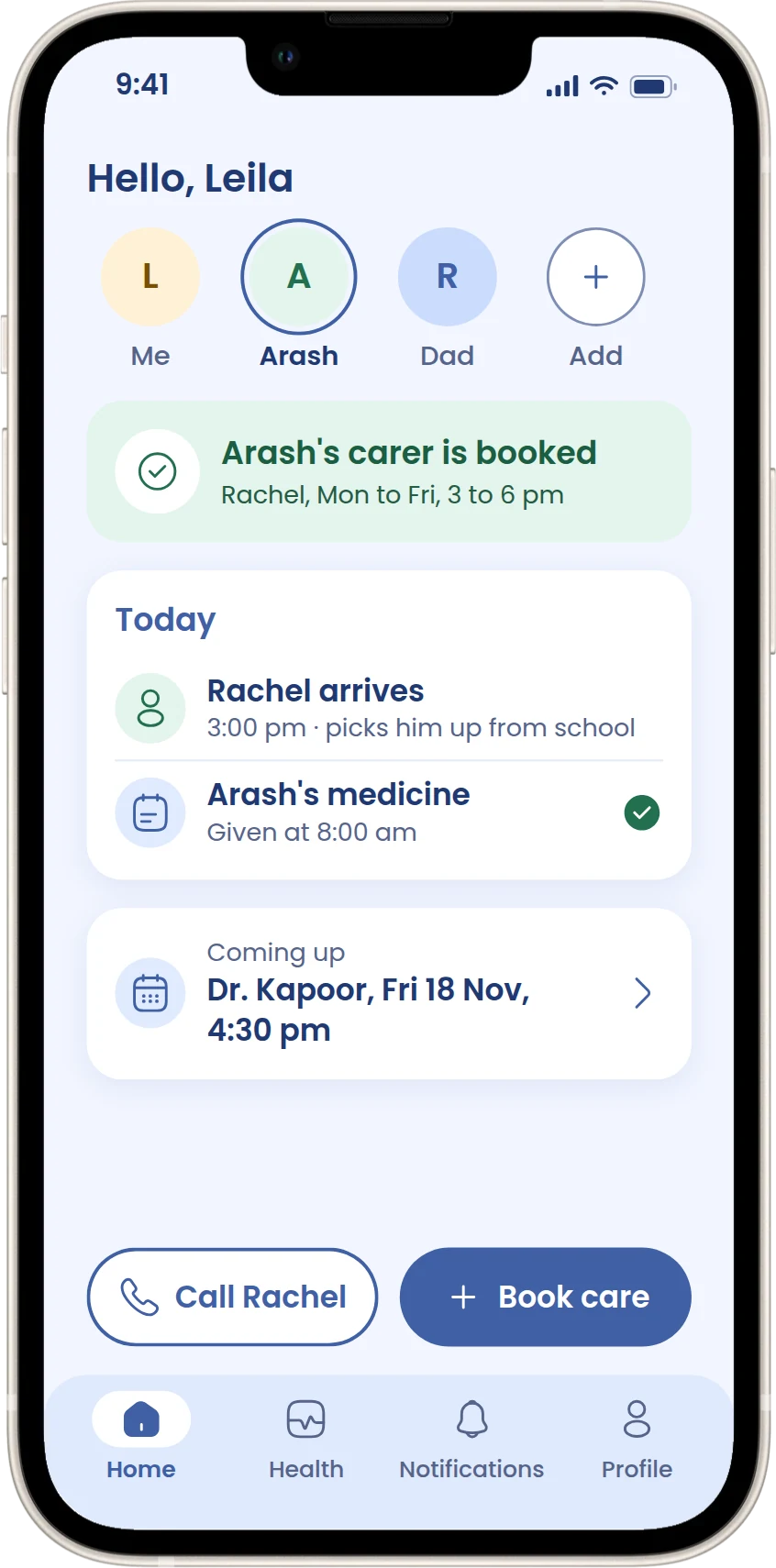 Arash: no phoneHis profile lives in Leila's account. She keeps his needs and books his care.
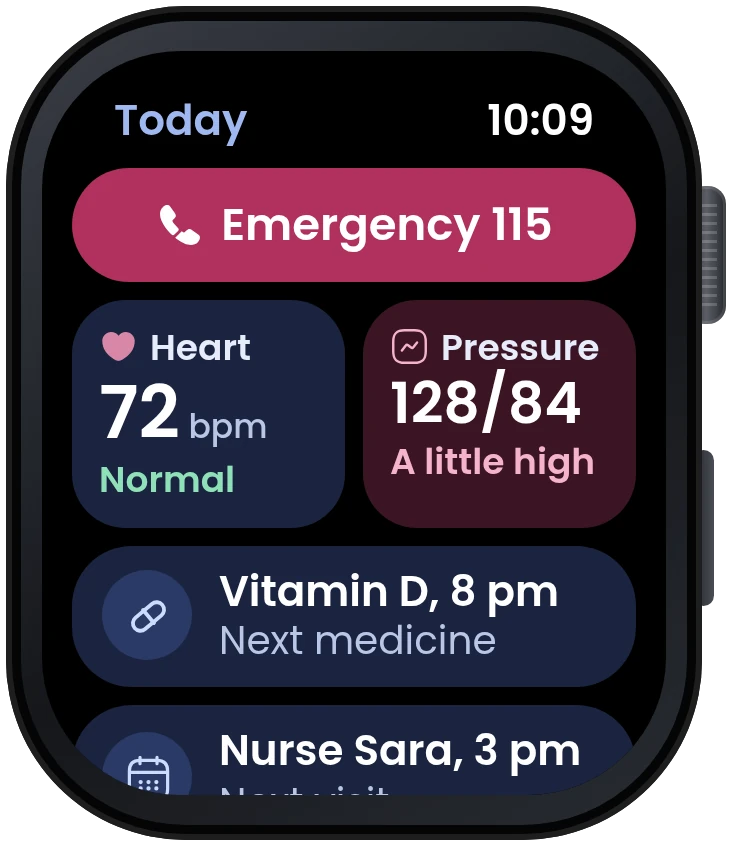
The emergency button on Home skips the plan and calls 115 straight away, then tells your contacts.
The features
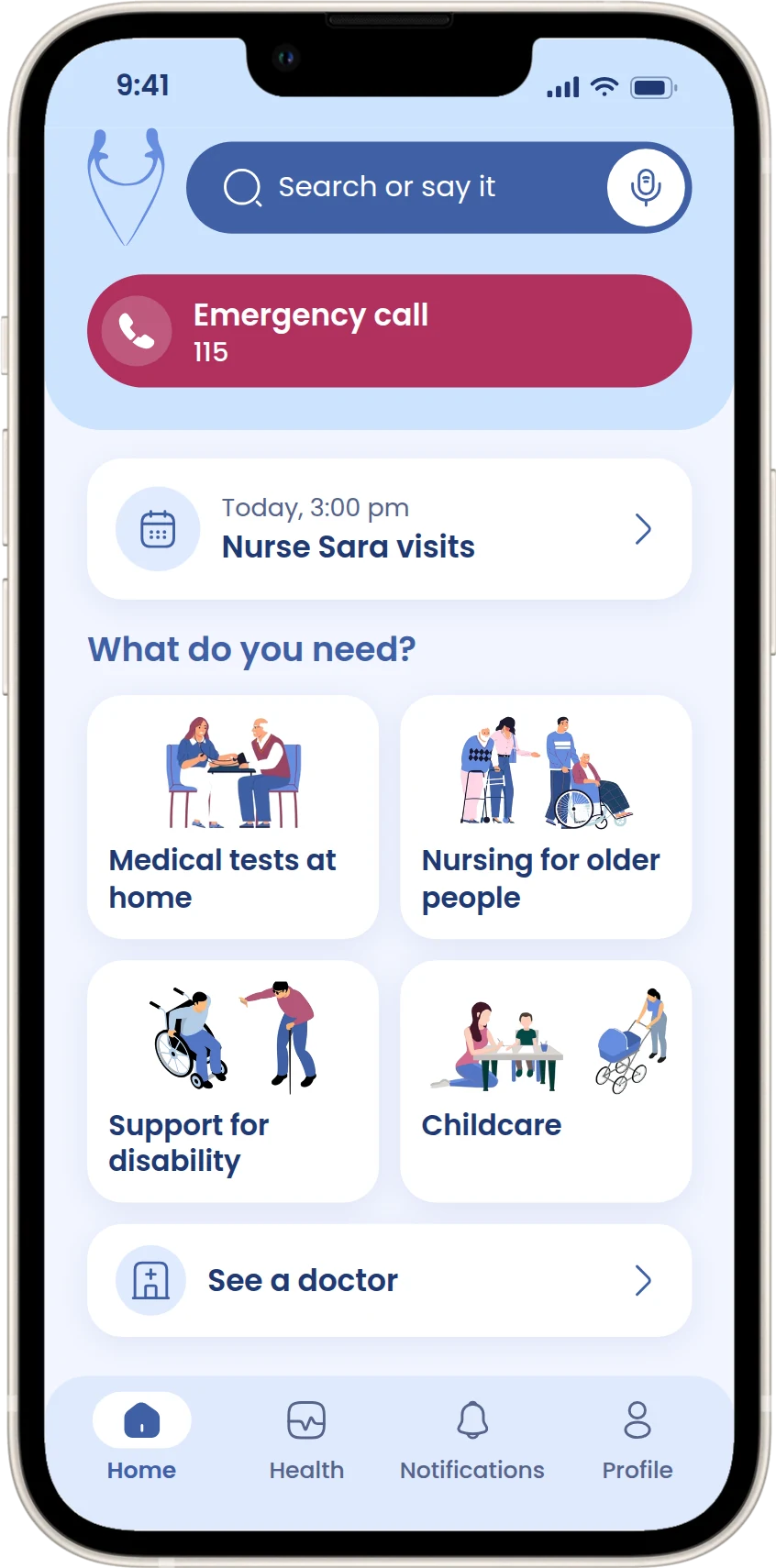
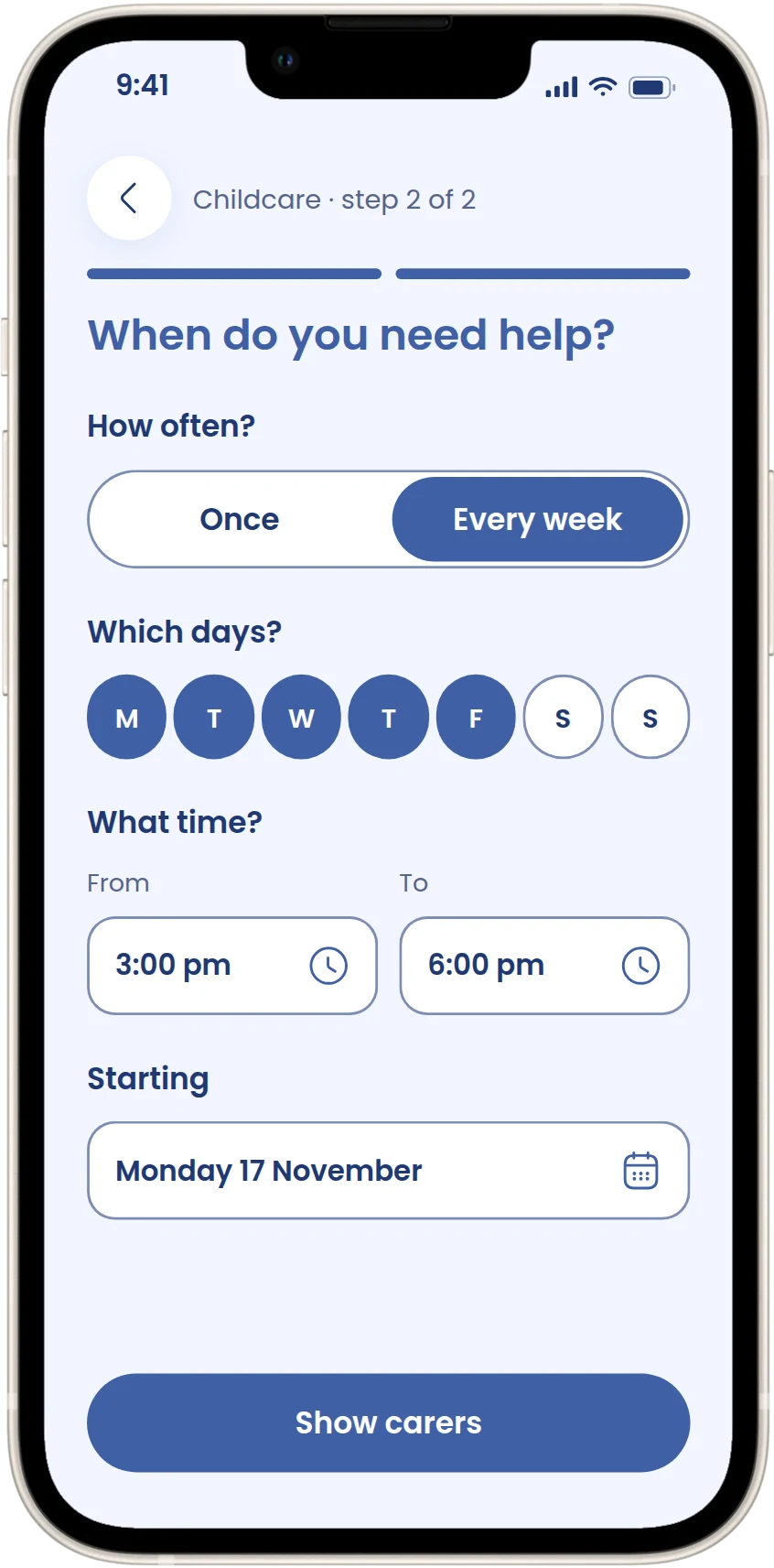
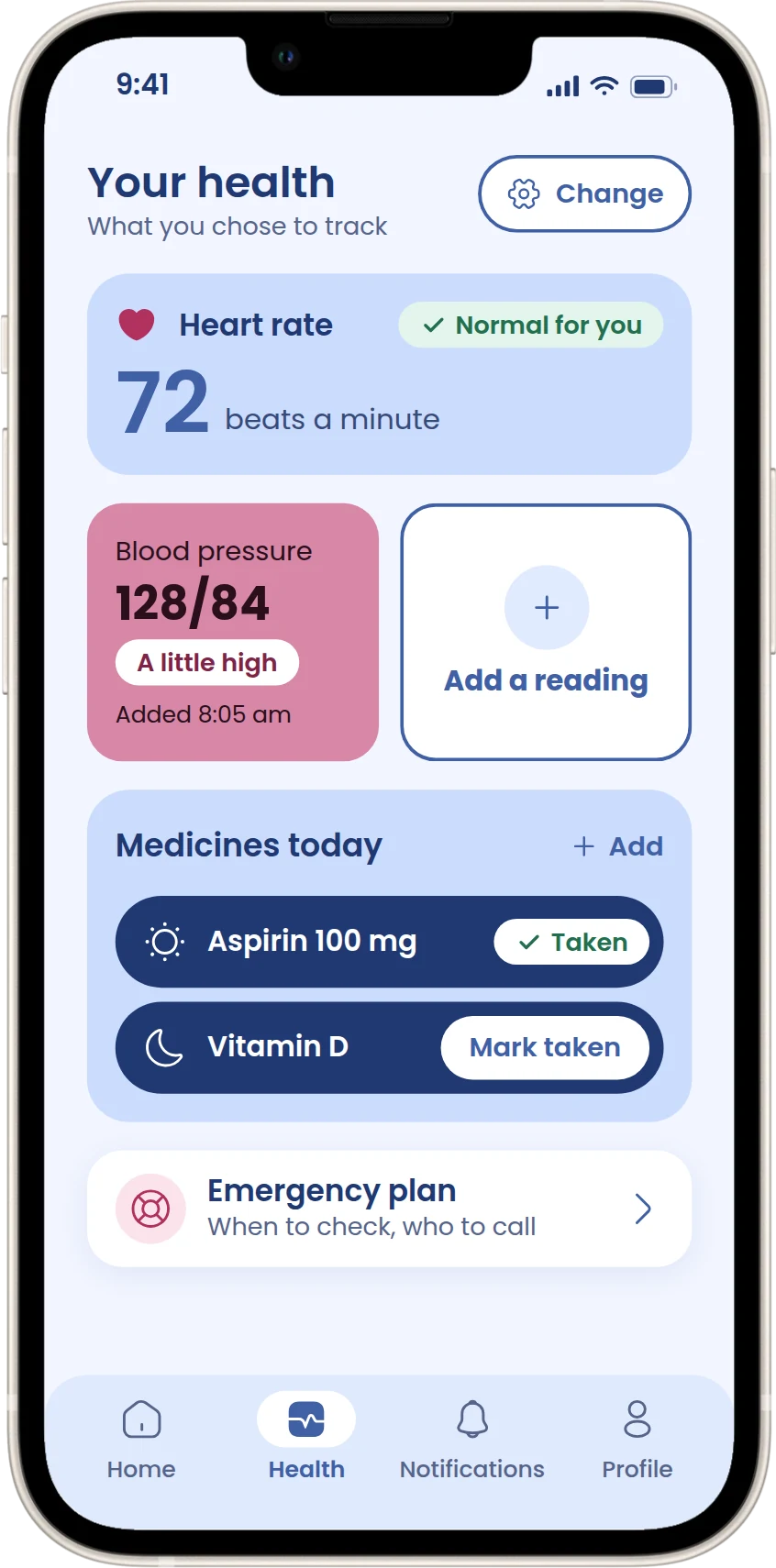
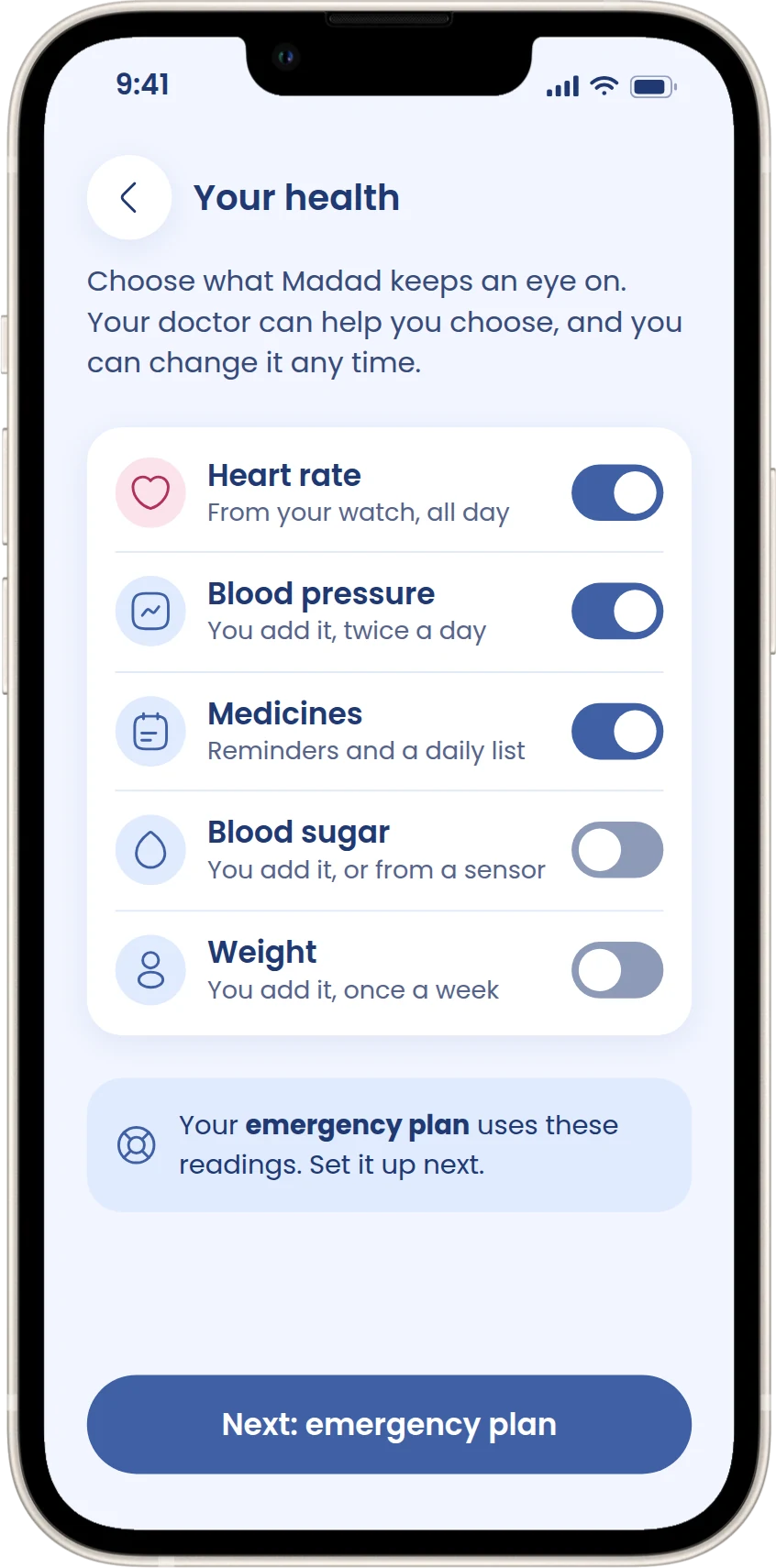
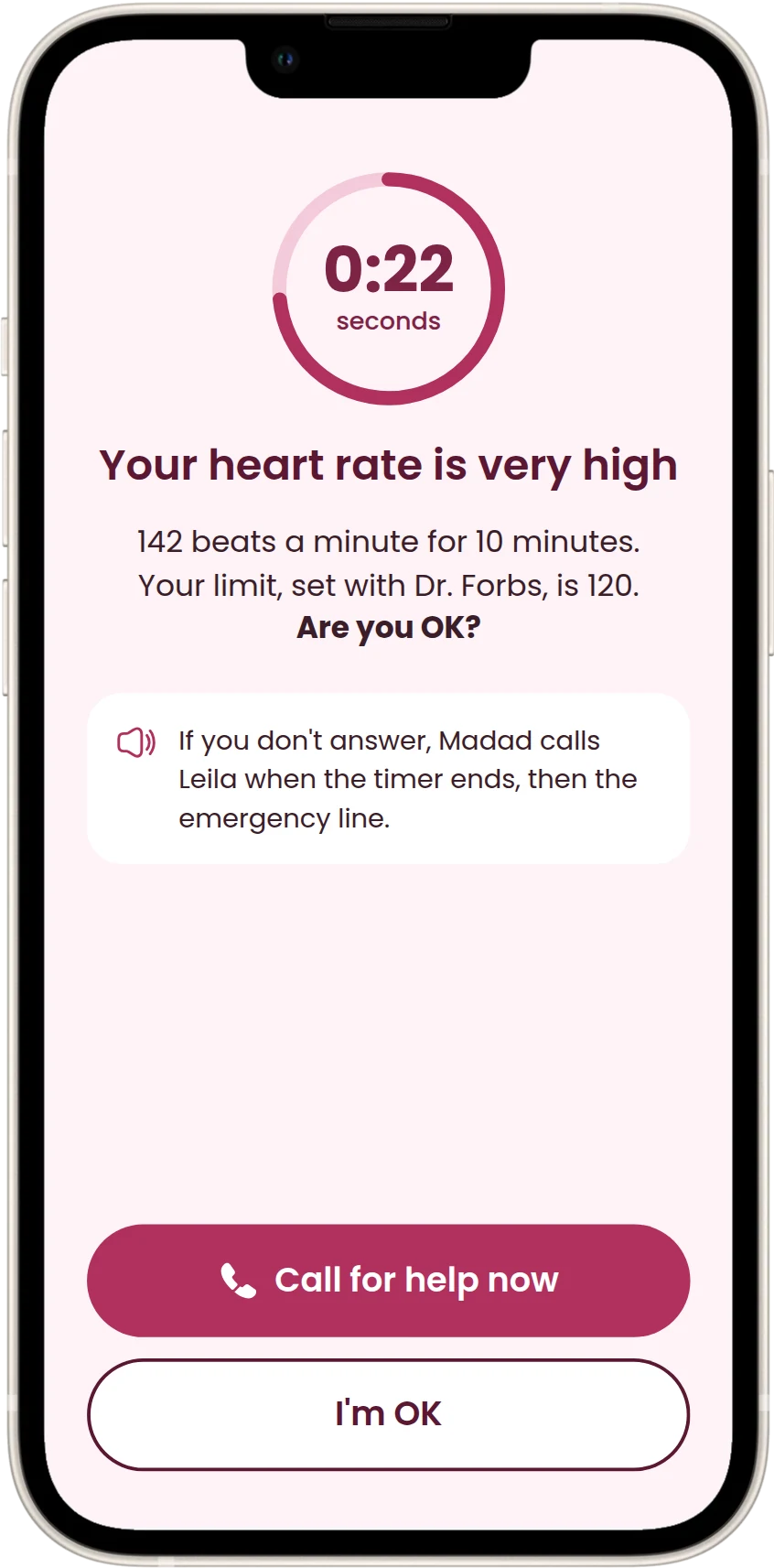
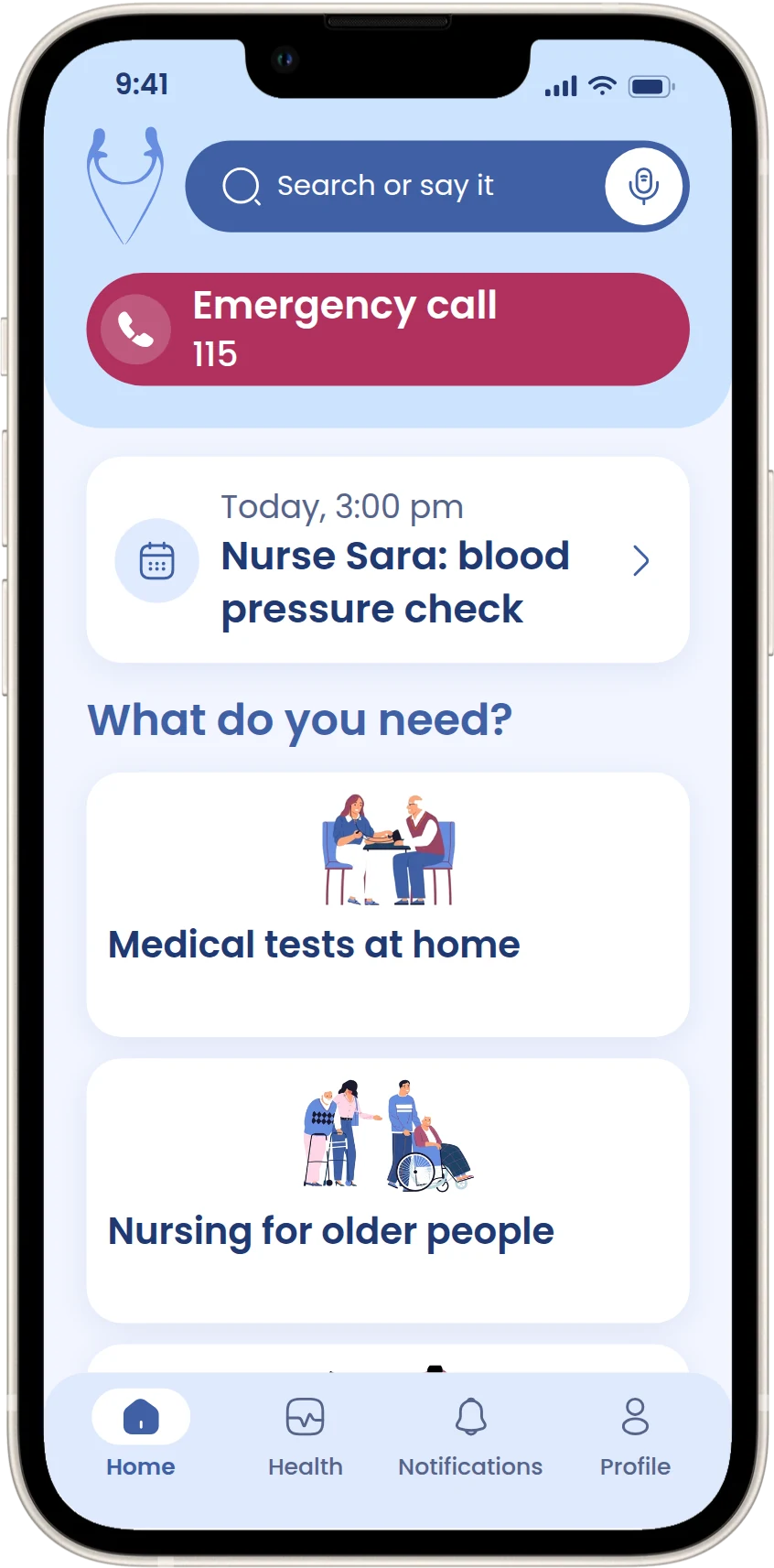
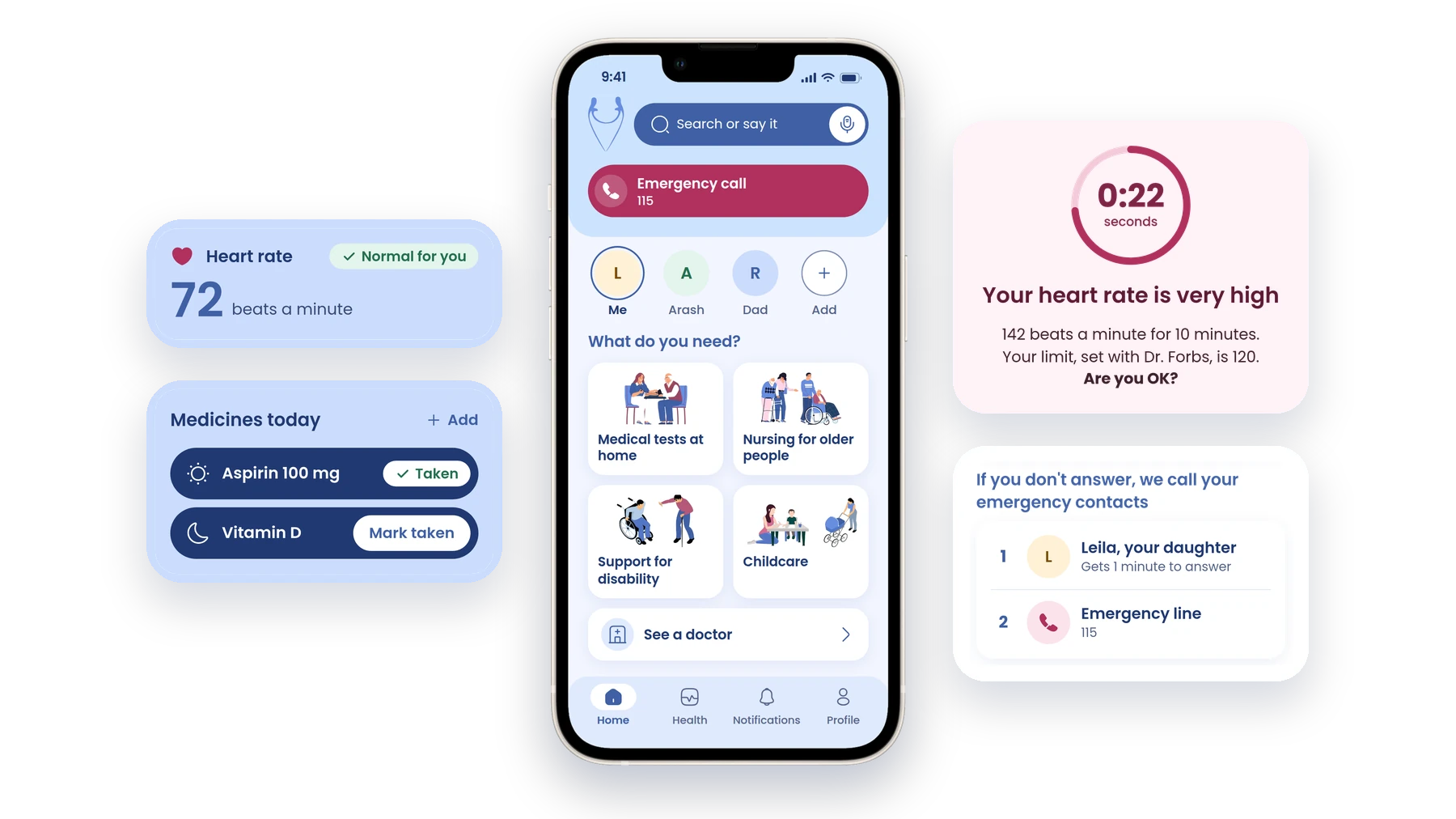
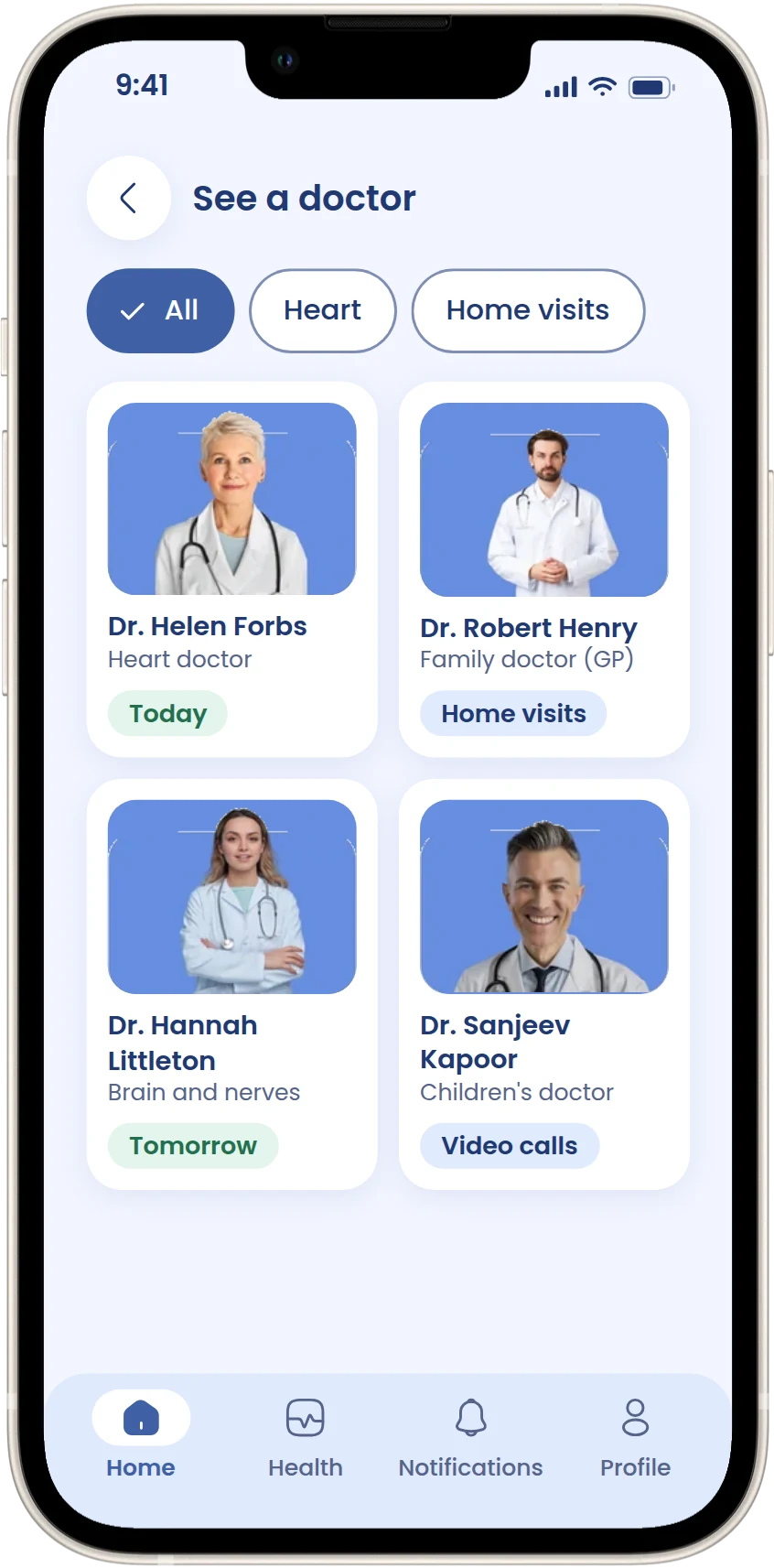
The emergency button is at the top, under a search bar you can also talk to. Then today's visit, the four kinds of care and a way to see a doctor.
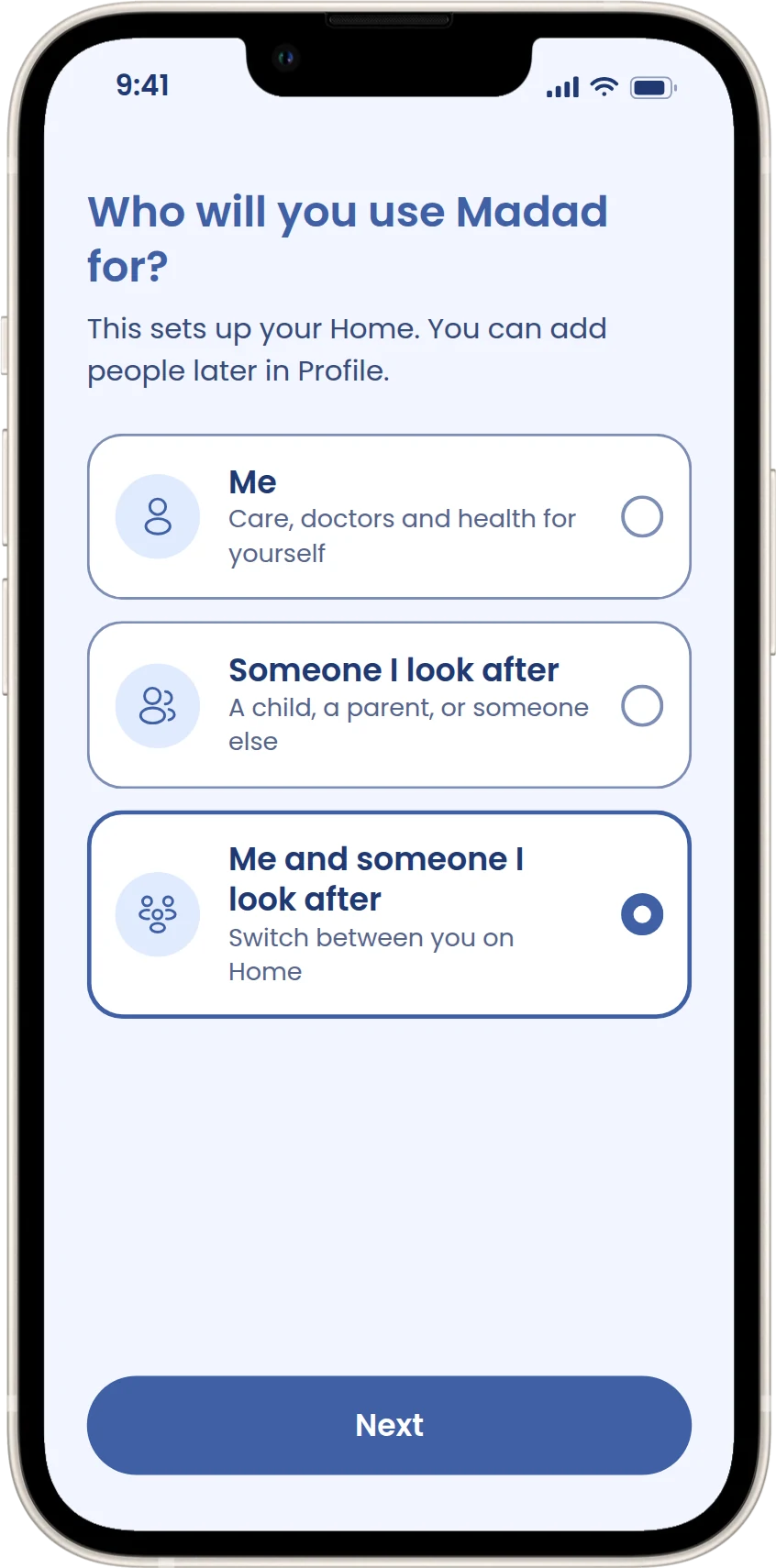
Set-up asks who Madad is for, and a row of profiles on Home switches everything to that person. Walking through Leila's day showed there was nowhere for Arash's needs or her dad's care, so I added this while designing.
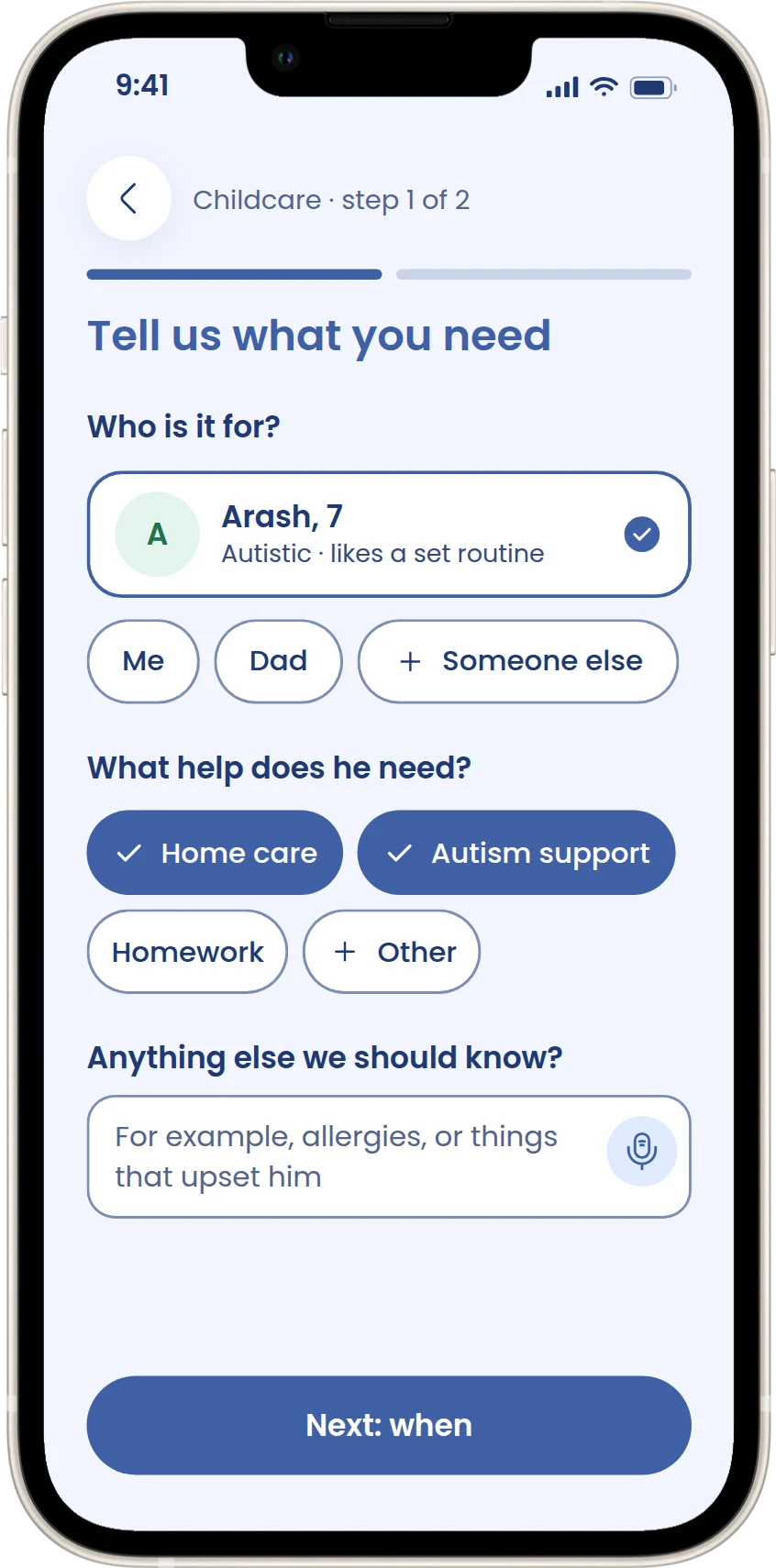
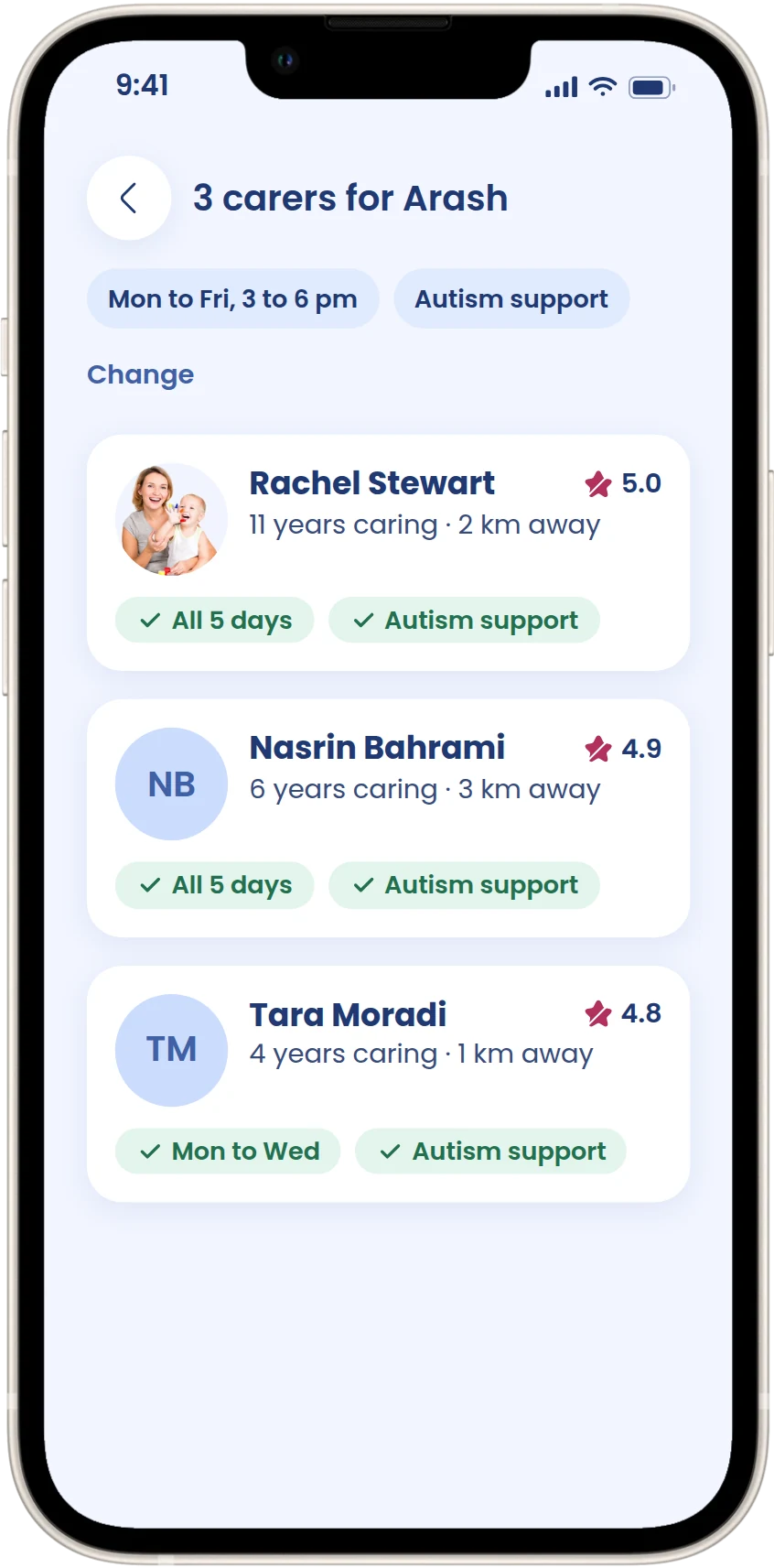
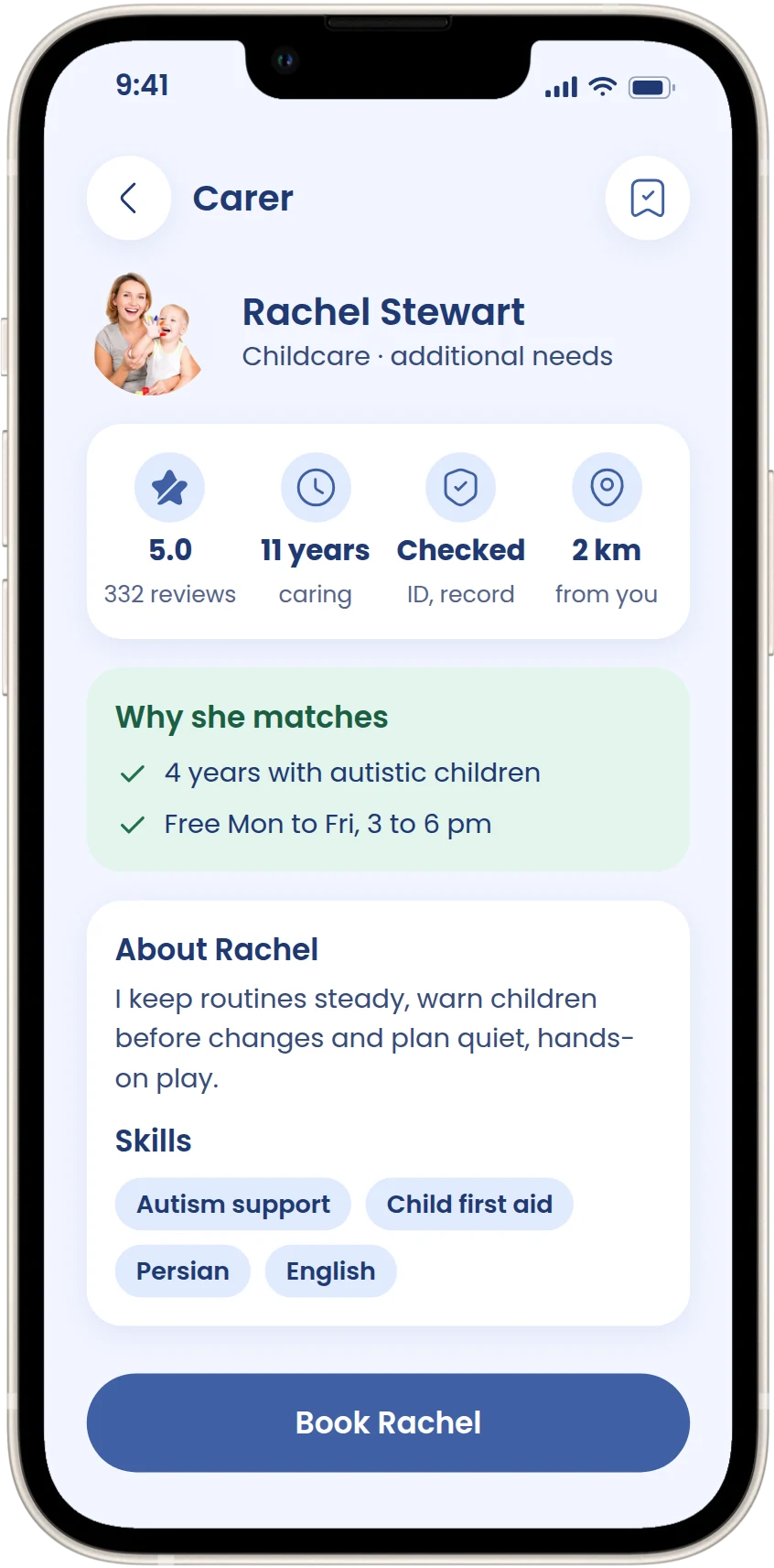
Two steps: first who it's for and what help, with their saved needs already ticked and a note for anything else, then days, times and a start date. Carers come back with why they match.
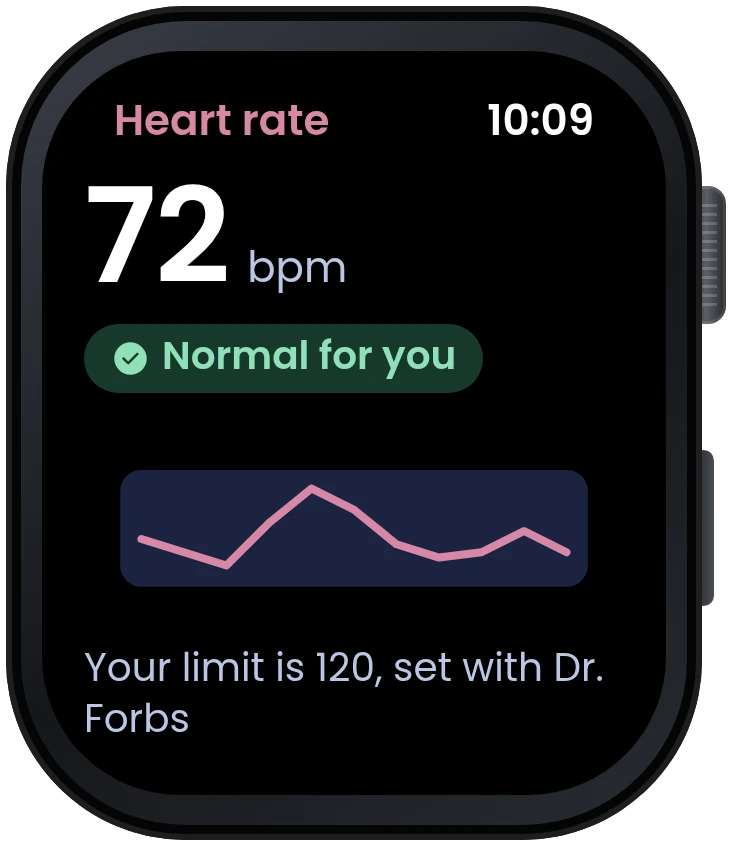
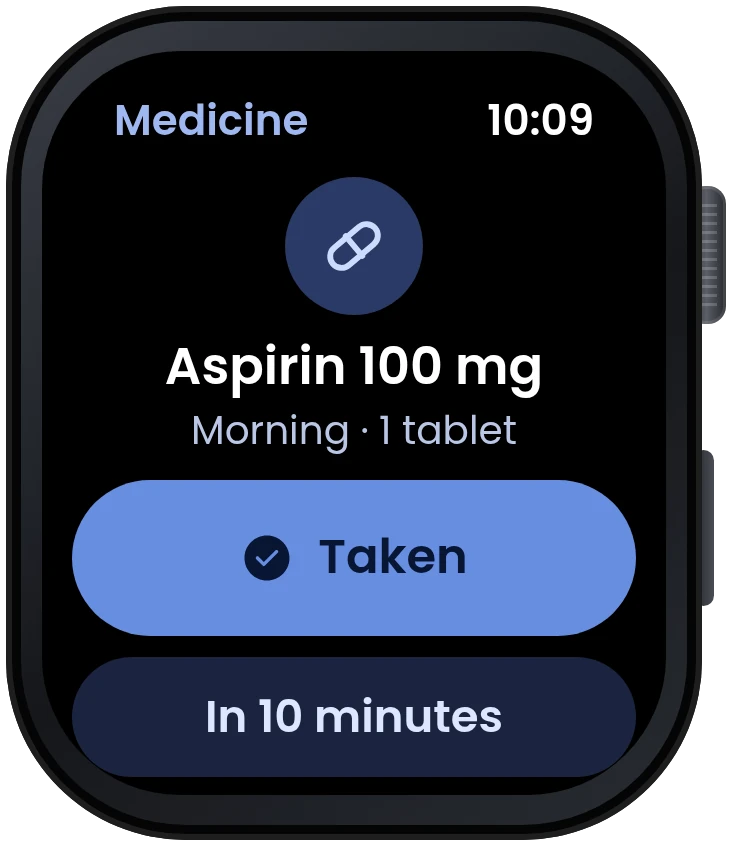
People choose what to track with their doctor, from a watch or by hand. Each reading comes with a word, like "Normal for you", and medicines are today's list with a button to mark them taken.
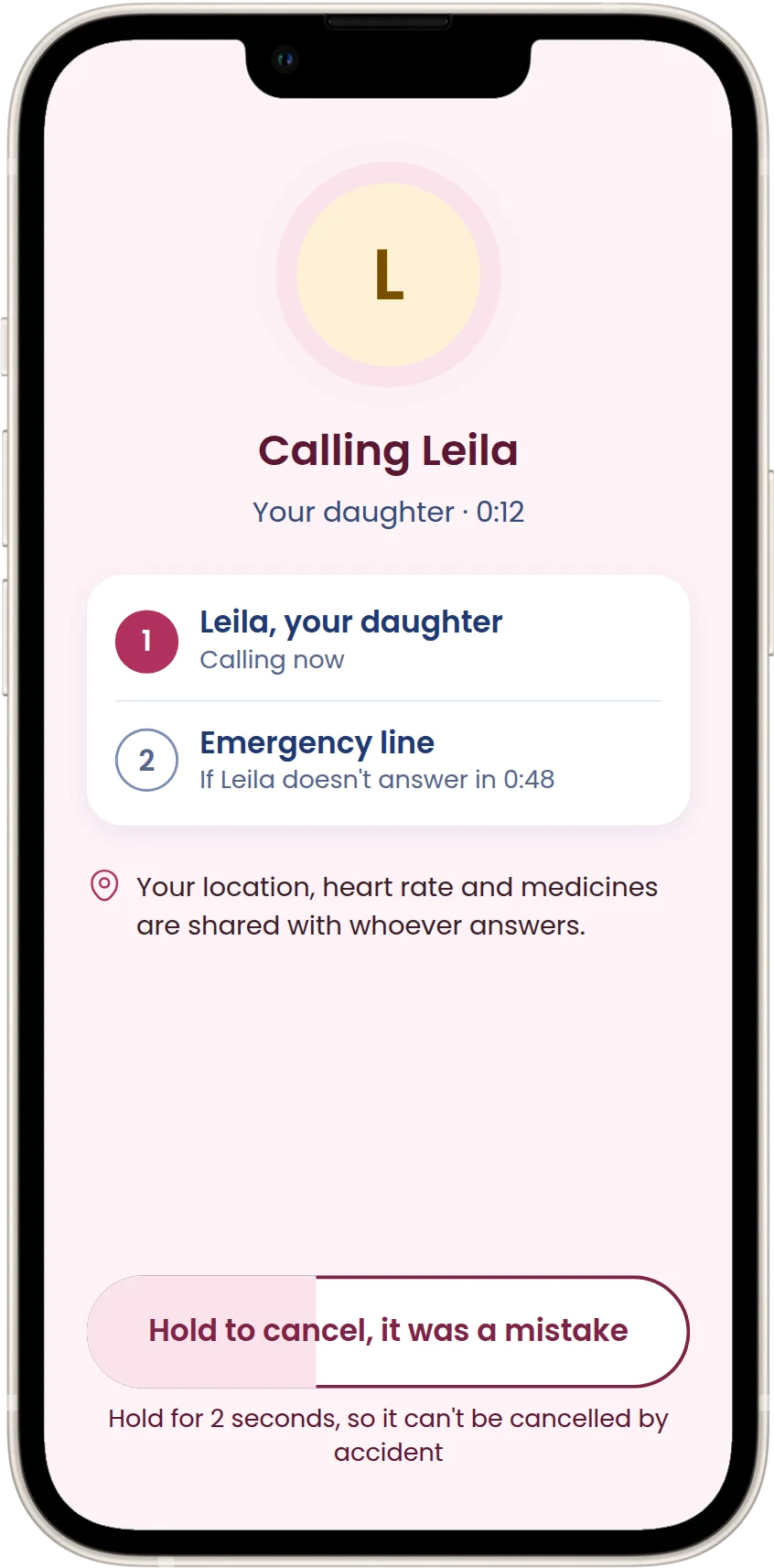
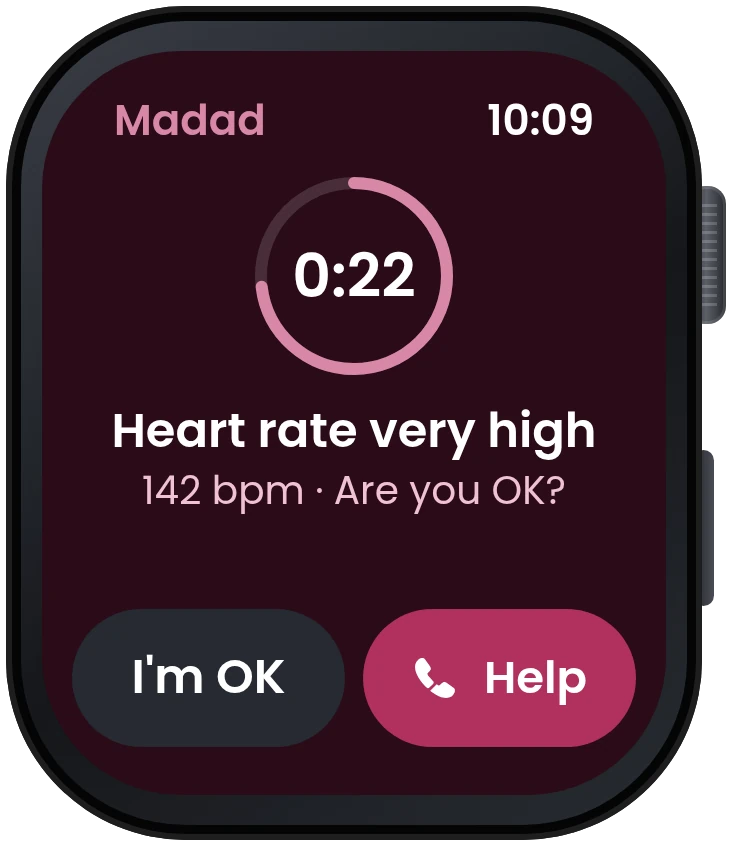
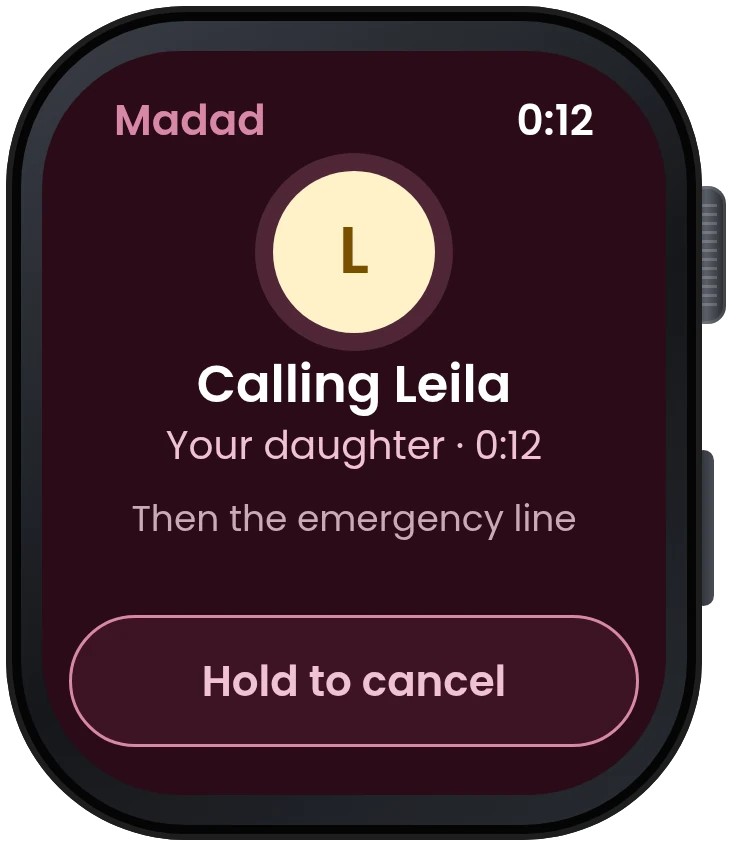
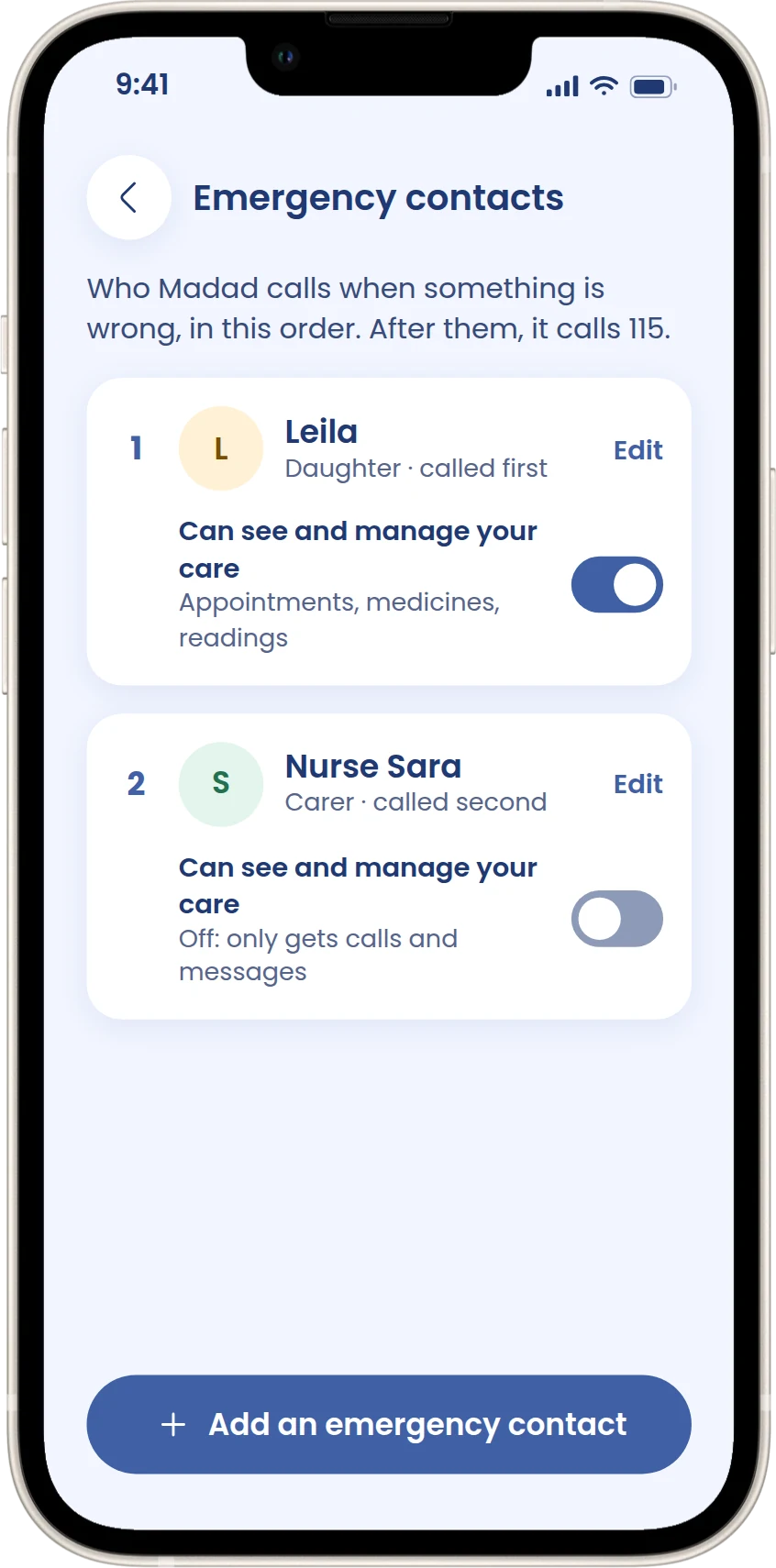
The doctor sets what counts as an emergency for this person. When a reading goes past it, Madad asks first, out loud and on screen. If there's no answer, it calls the emergency contacts in order, then 115. My first flow just ended at "emergency call", which ignored false alarms and families who want to be called first.
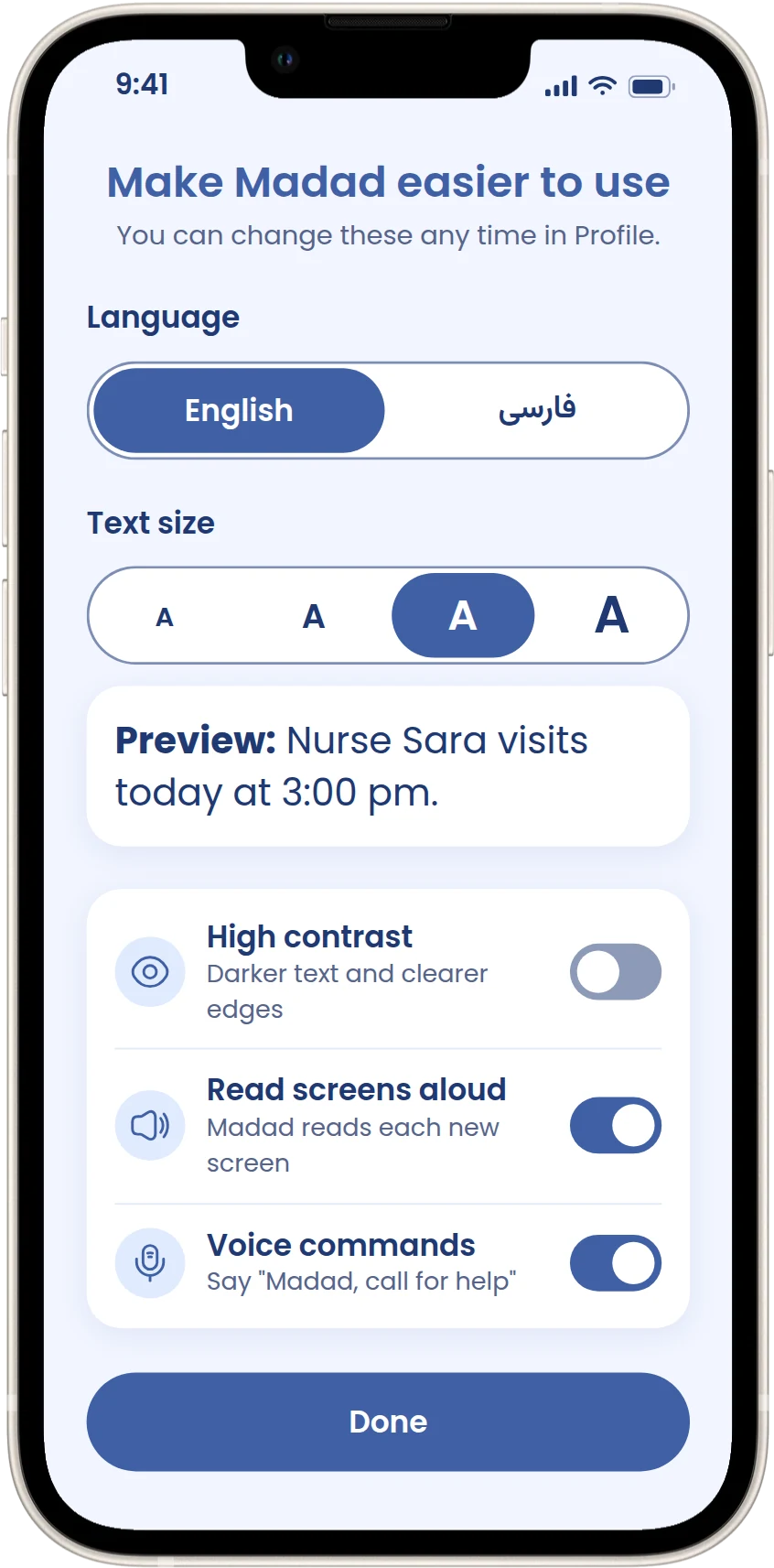
One set-up screen for language, text size with a live preview, contrast, read-aloud and voice commands. At bigger sizes, Home switches to one column so words don't get cut off.
Apple Watch
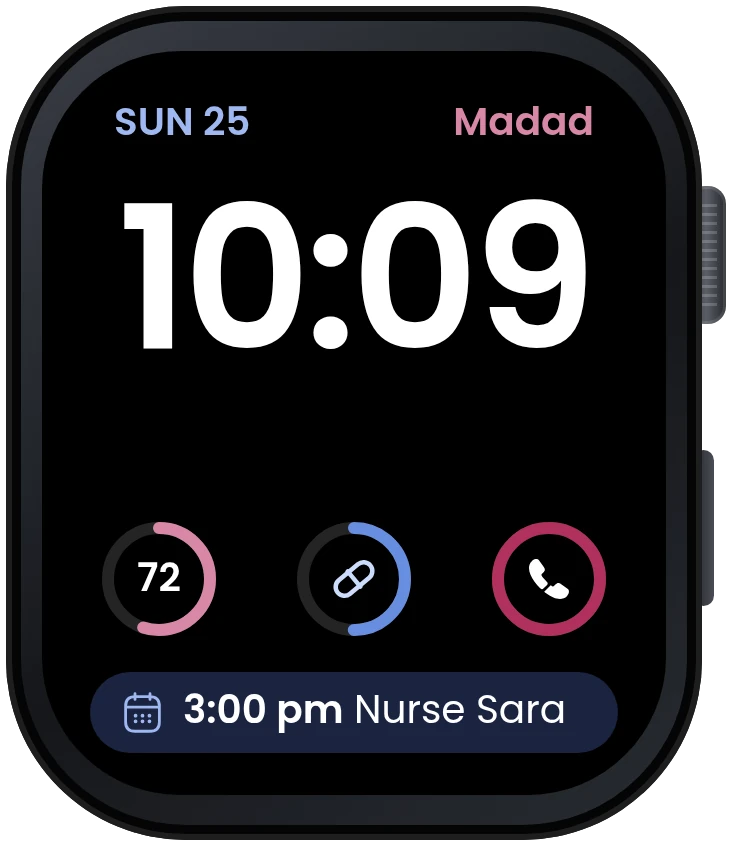
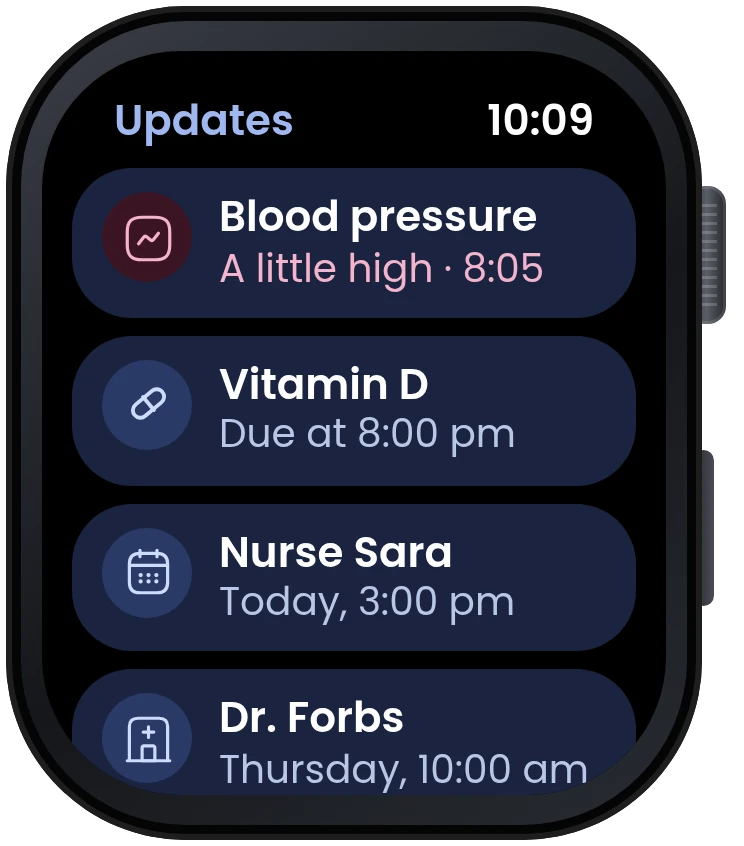
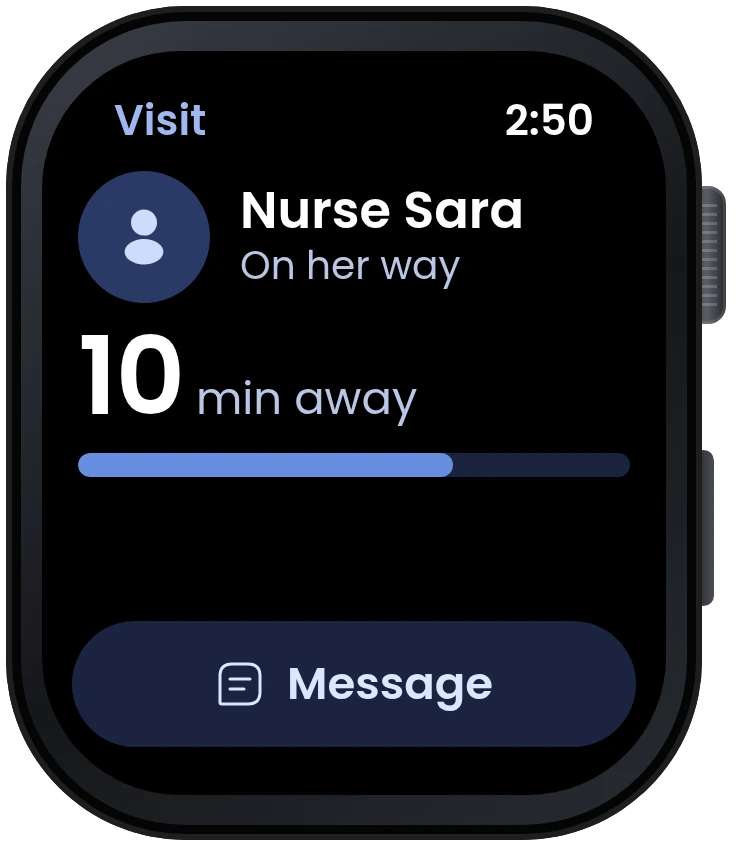
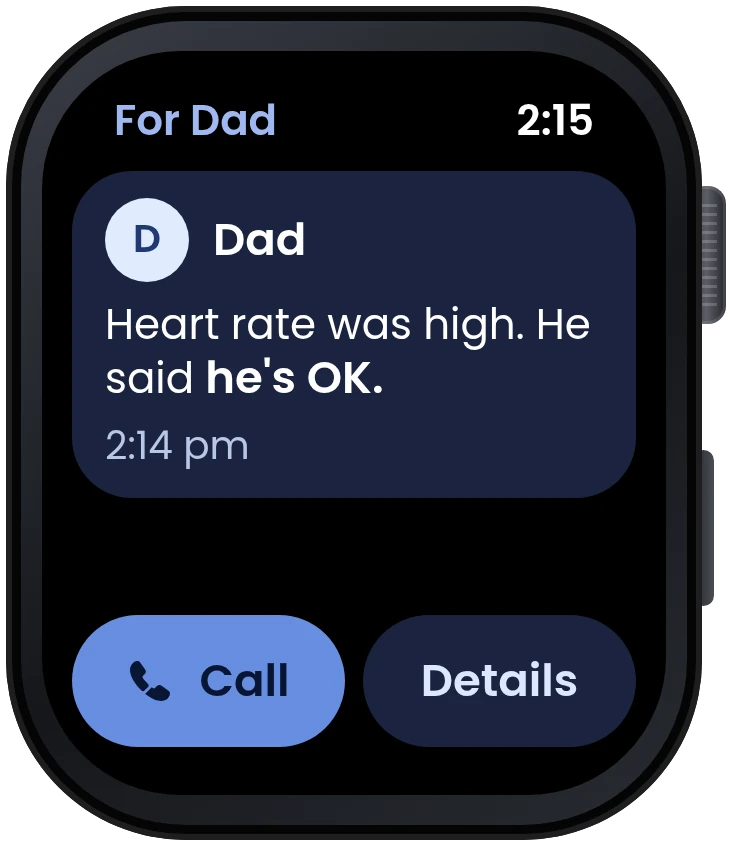
Some moments can't wait for someone to find their phone, so the urgent parts work on the watch too: the emergency button, readings with what they mean, medicine reminders and the "Are you OK?" check. It uses the watch's dark style, and every text colour passes WCAG contrast.
Scroll sideways to see them all.
Review and changes
I couldn't test with users, so I reviewed my first design and changed what didn't hold up
When my first full design was done, I reviewed it the way an outside expert would. I checked it against the six principles and WCAG, measured contrast, text size and tap targets, and walked through each persona's day.
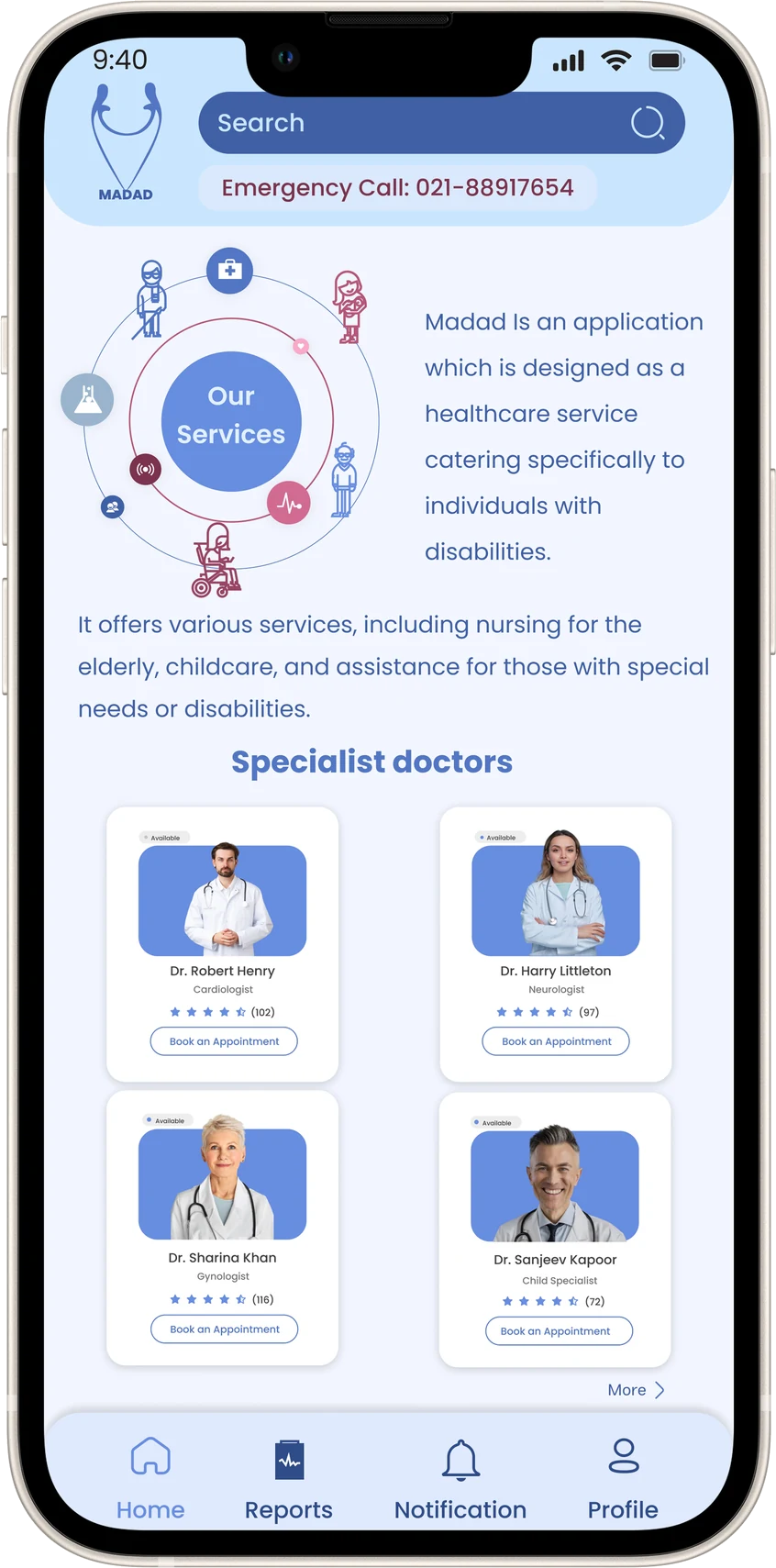
Home
The emergency number was a line of text, Home opened with two paragraphs about Madad, and the doctor cards were tiny. Now the emergency button is large and always at the top, and the care types moved onto Home.
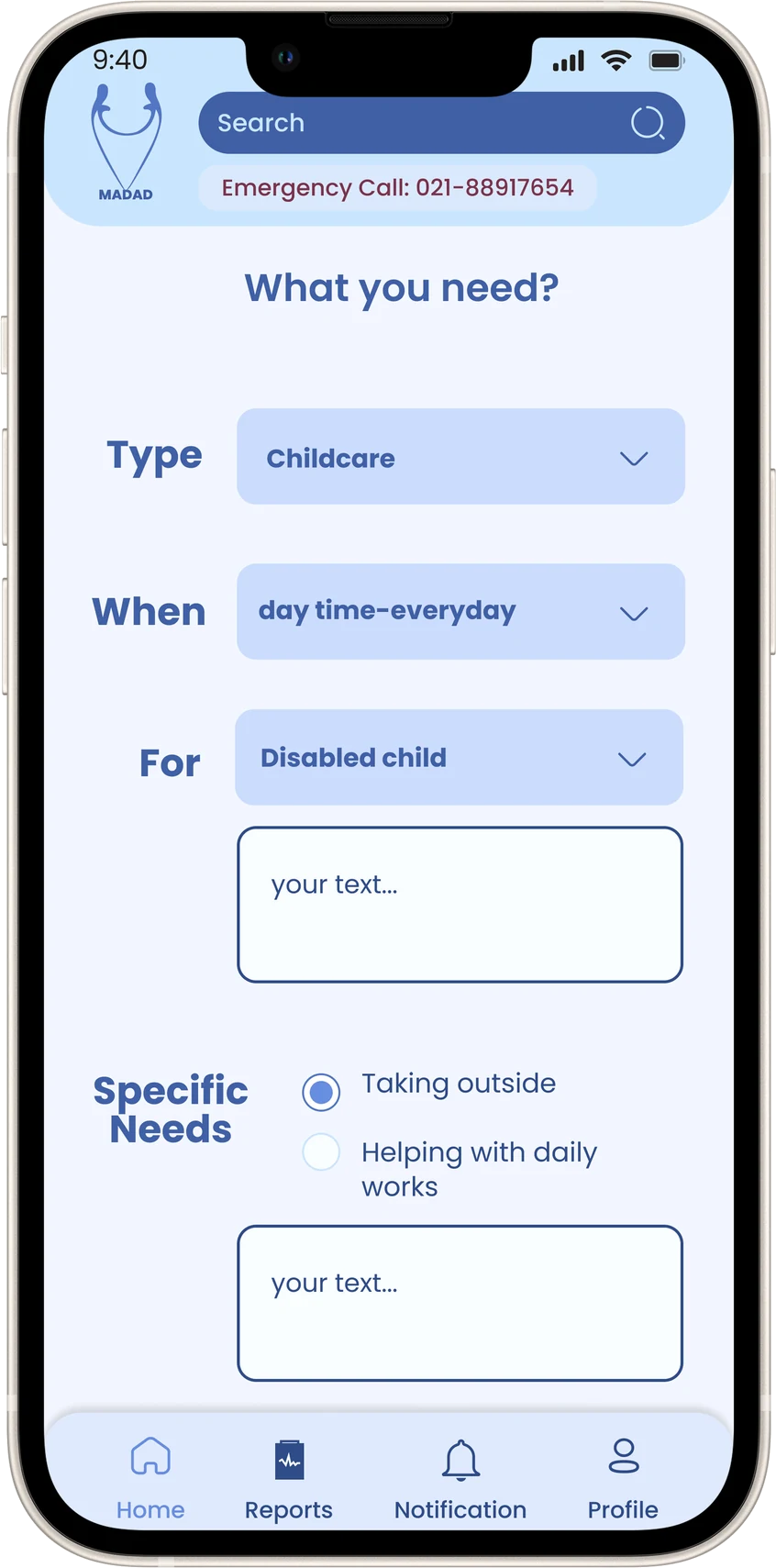
Booking care
Dropdowns hid the options, the time said "day time-everyday", and the text boxes said "your text...". Now every option is visible and the time is exact.
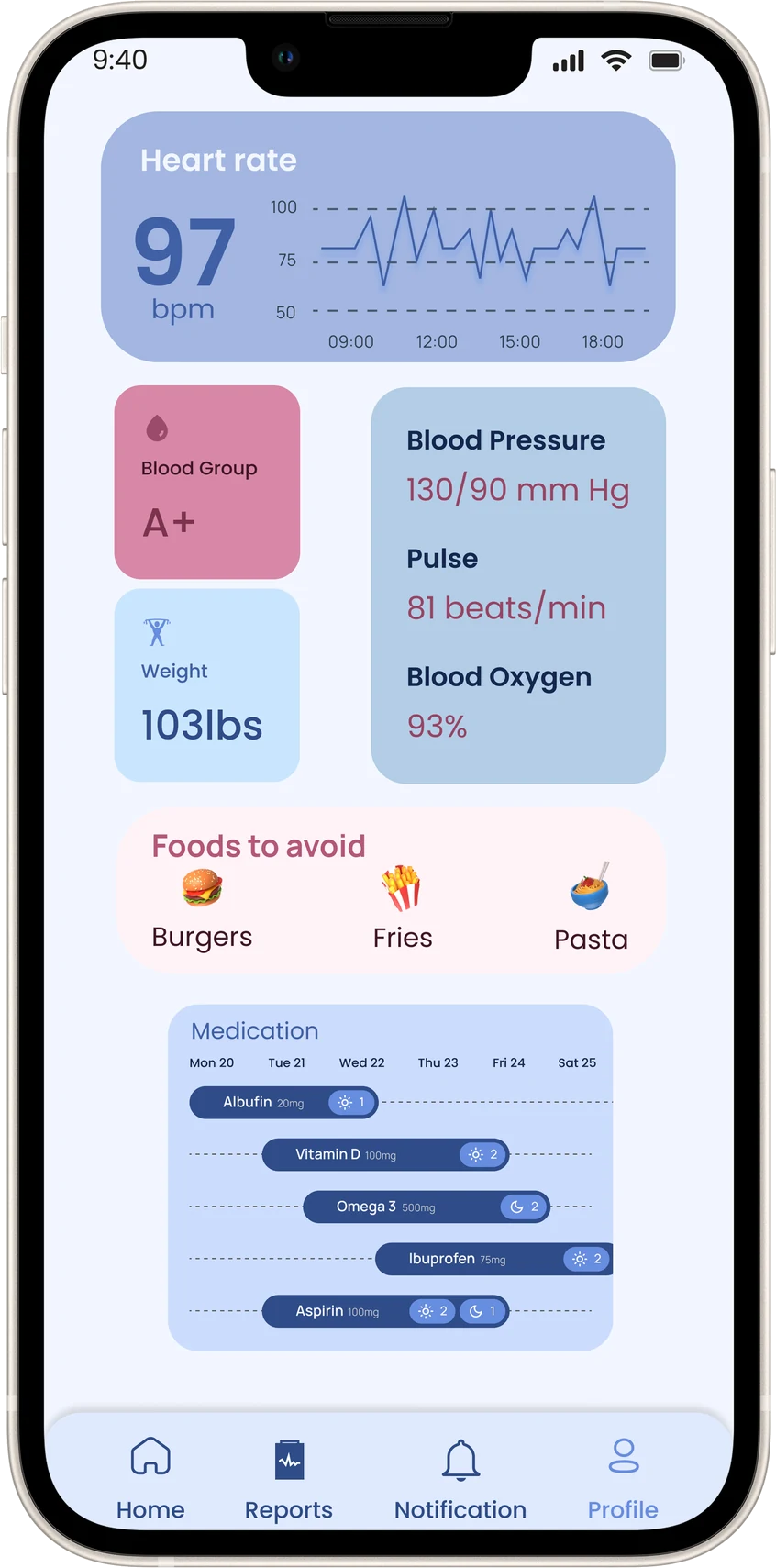
Health
Six readings at once, a week of medicines in tiny labels and hard-to-read white text made it feel clinical. Now people track only what they chose with their doctor, each reading says what it means, and medicines are just today's list.
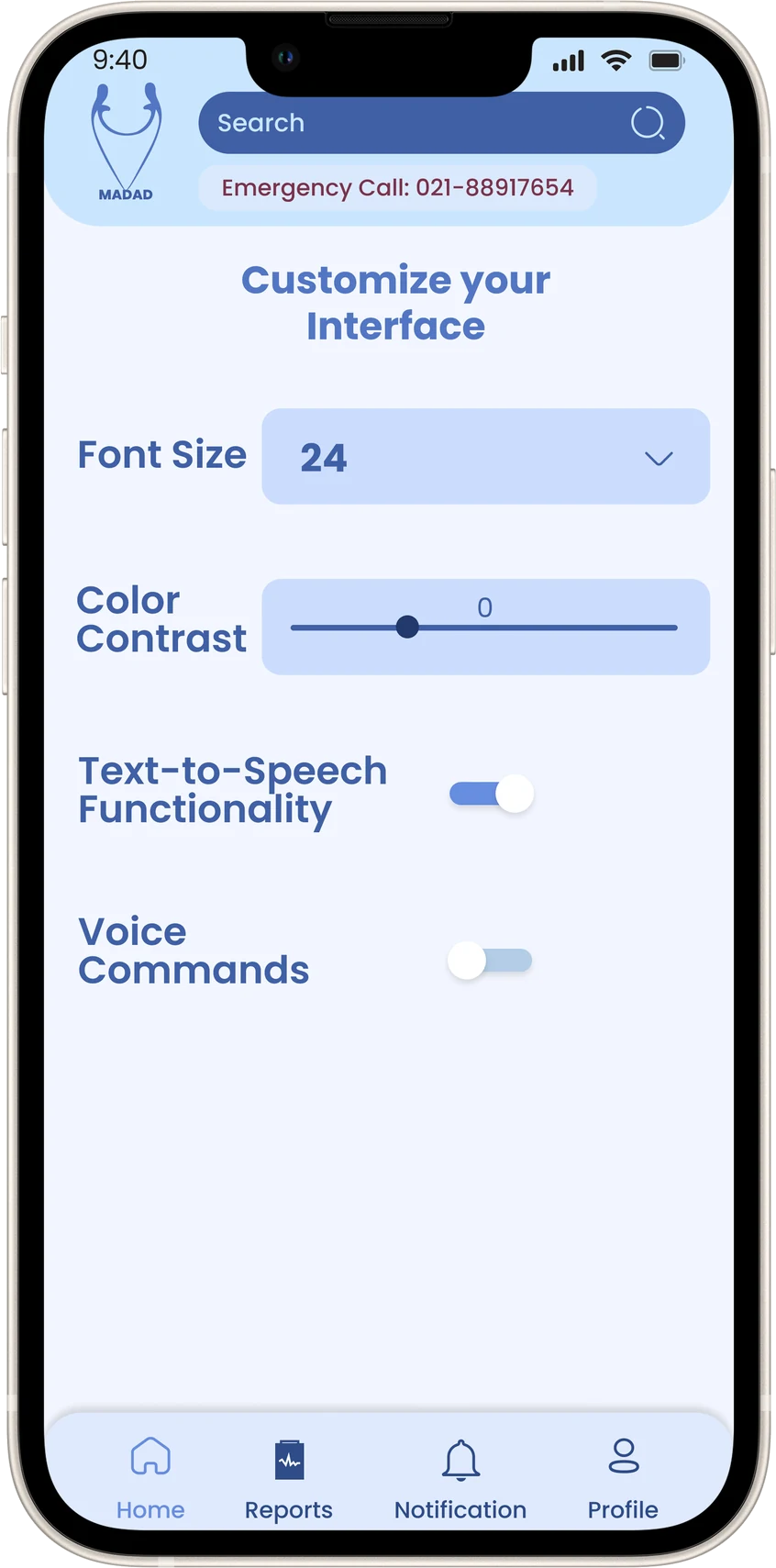
Making it easier to use
Text size was a number in a dropdown, contrast was a slider from 0, and the screen was hidden behind search. Now there are four sizes you can see, simple switches and a language choice.
Smaller fixes: buttons now pass contrast, every form field has a label above it, booked times say "Booked", placeholder text became real copy, and I fixed a few typos.
Prototype
The app, and a prototype you can try
The screens change depending on who's using Madad, so the prototype starts by picking a person: Reza, Leila, or first time (set-up).
Things to try
- As Reza, book his heart doctor. See a doctor, then Dr. Helen Forbs.
- As Reza, add a medicine from the Health tab.
- Press High heart rate under the phone. Answer, or wait 30 seconds and Madad calls Leila.
- As Leila, book a carer for Arash. Tap Childcare on her Home.
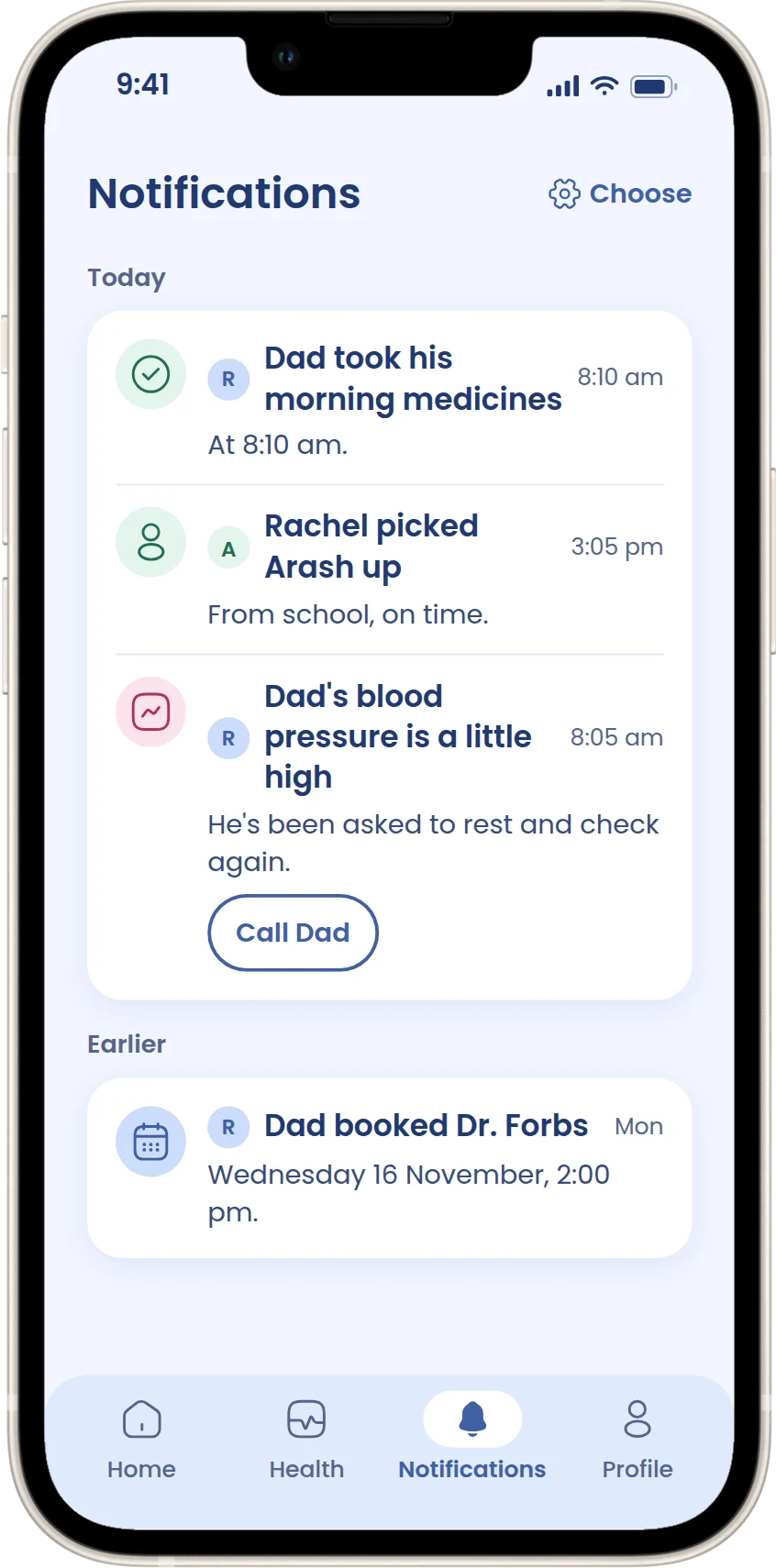
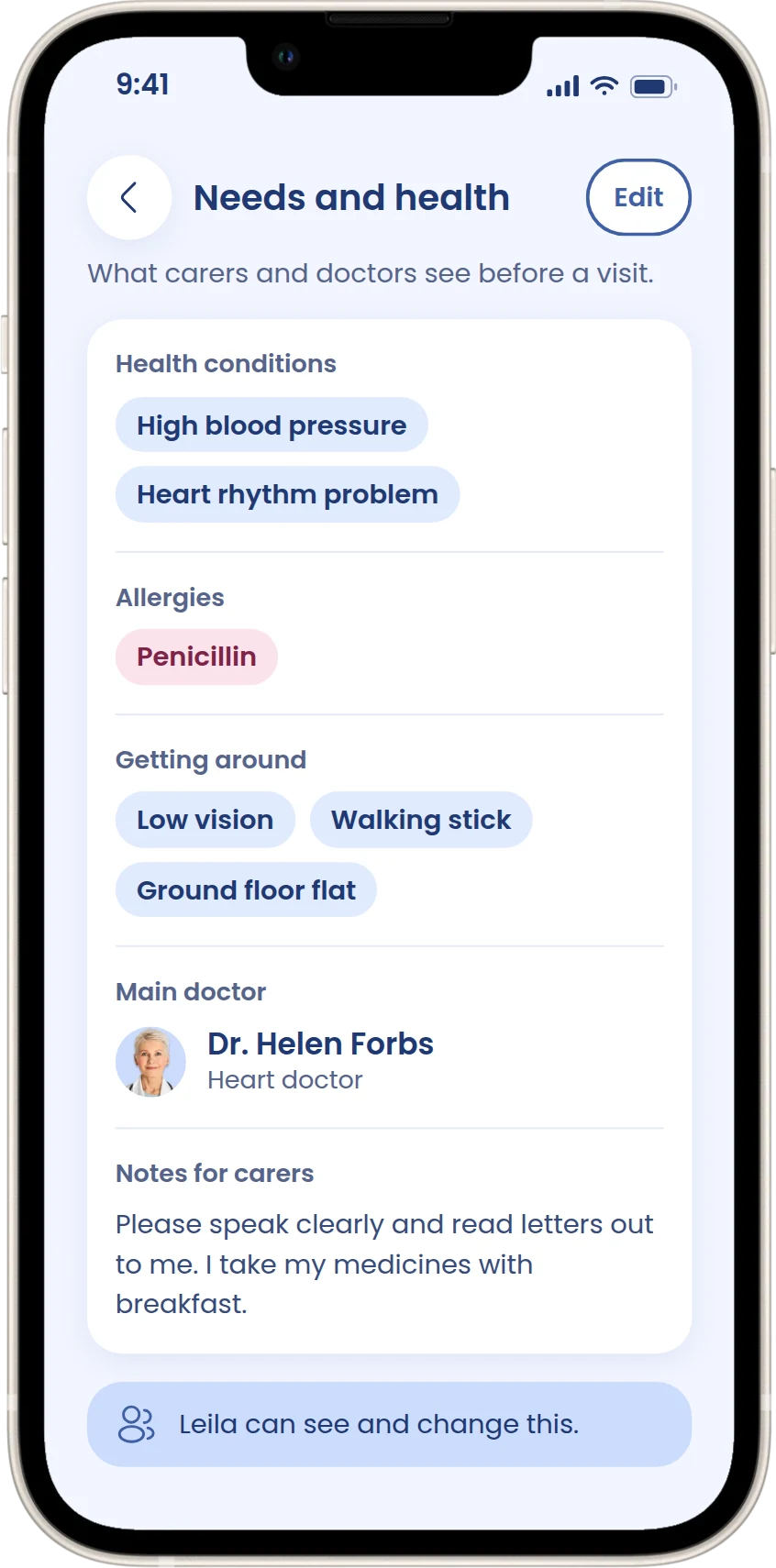
- As Leila, switch to Dad on Home or Profile to see his day, needs and emergency contacts.
- First time: set up Madad for yourself and a child.
Every screen
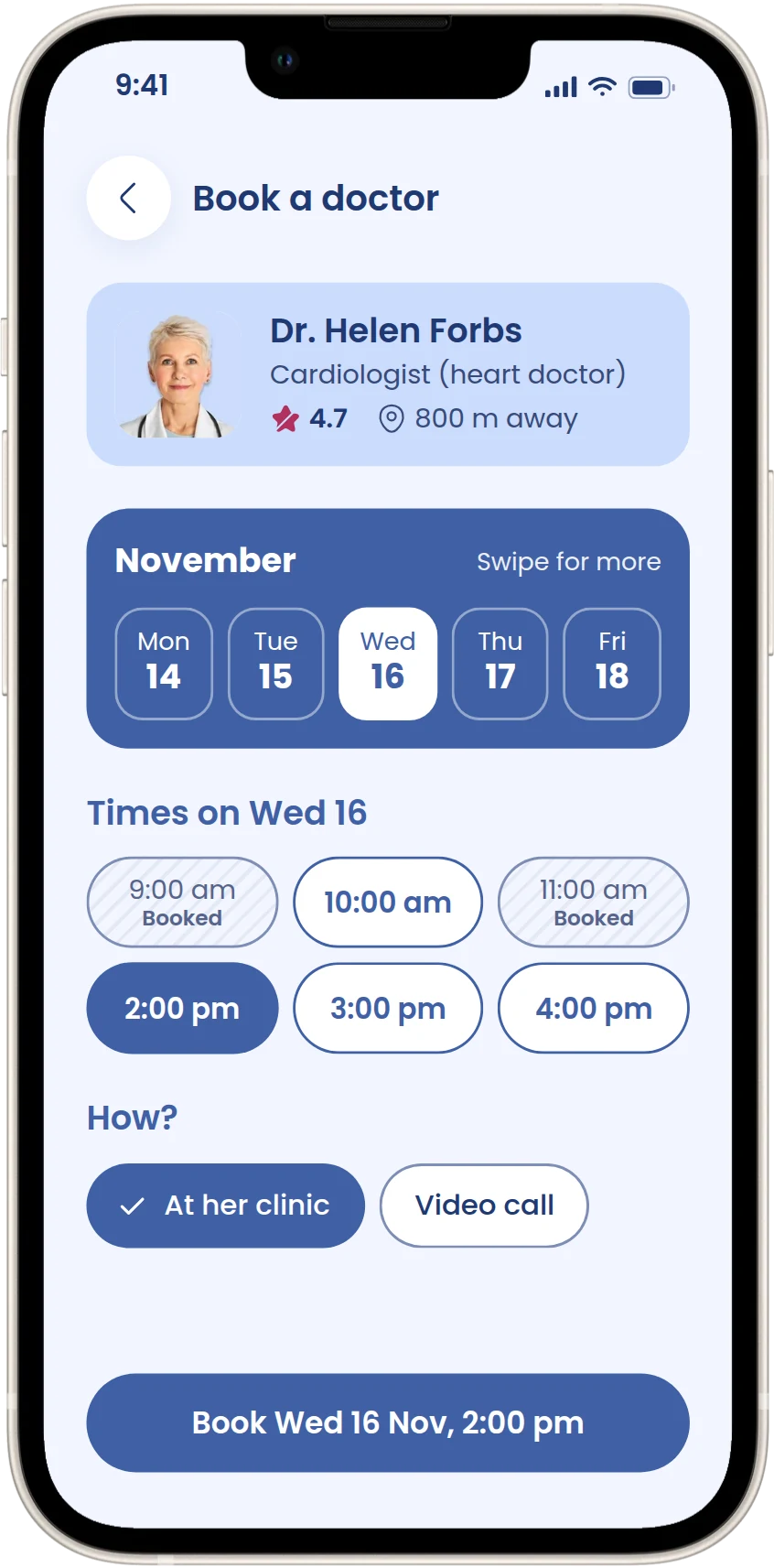
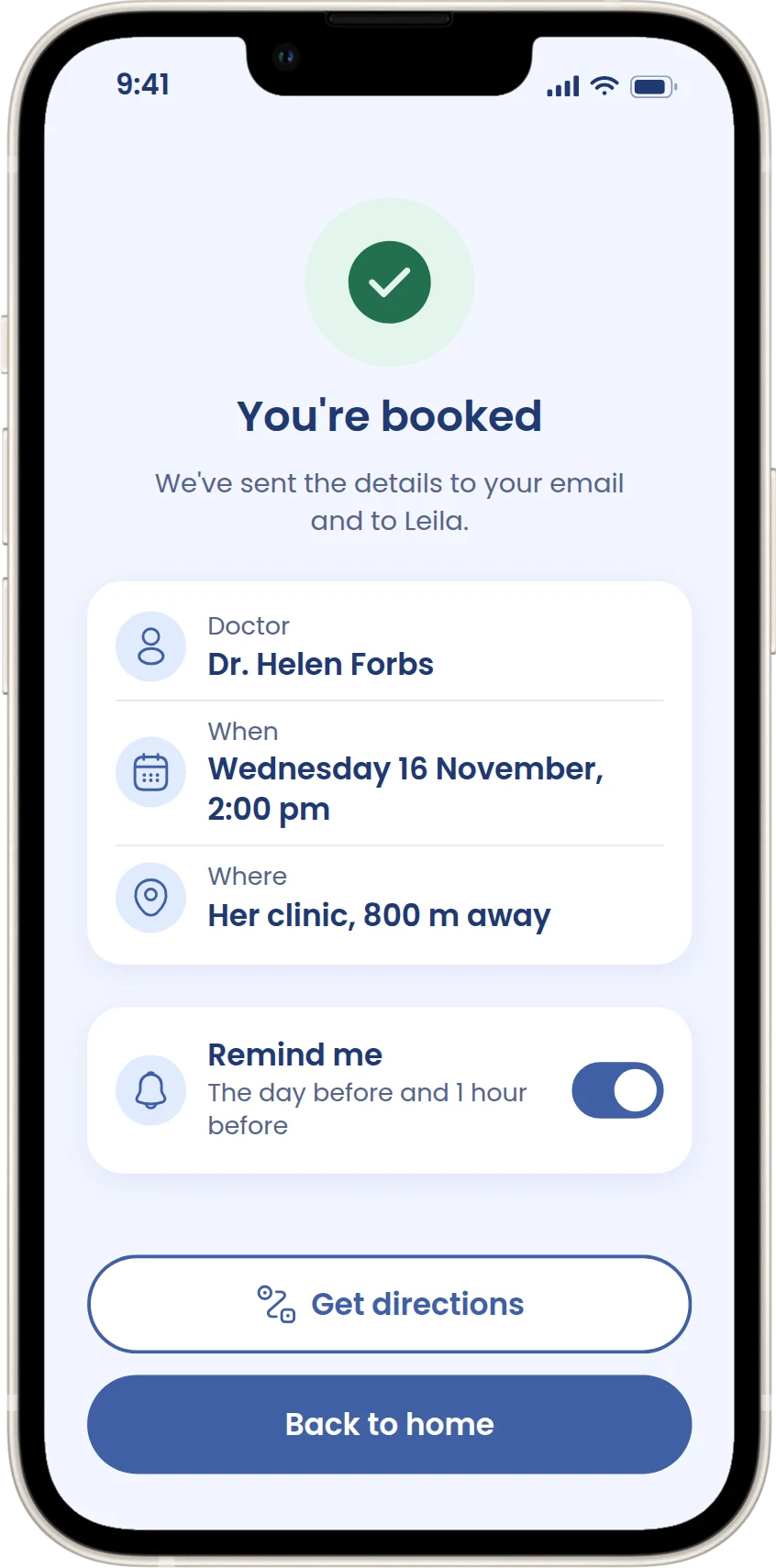
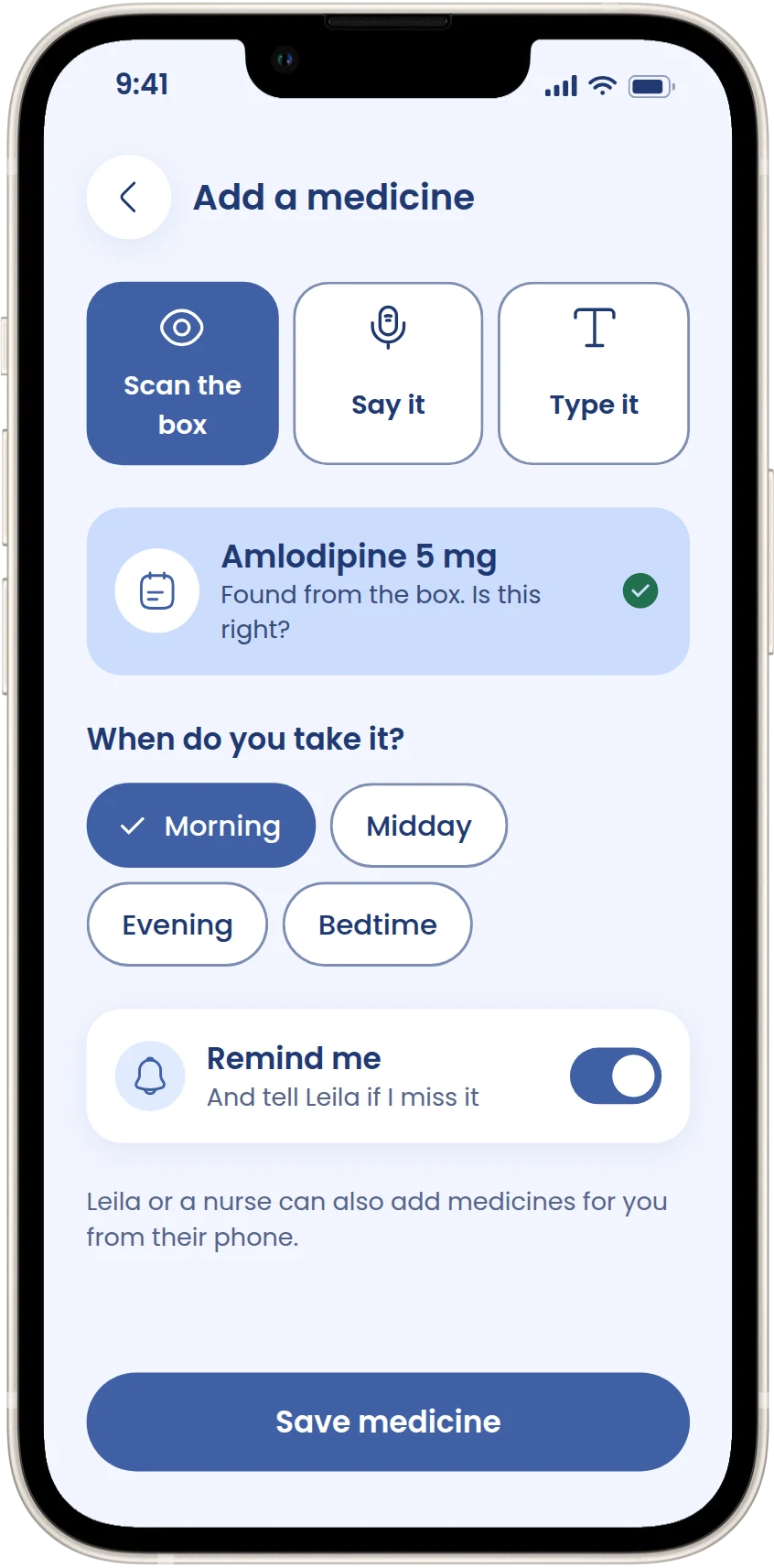
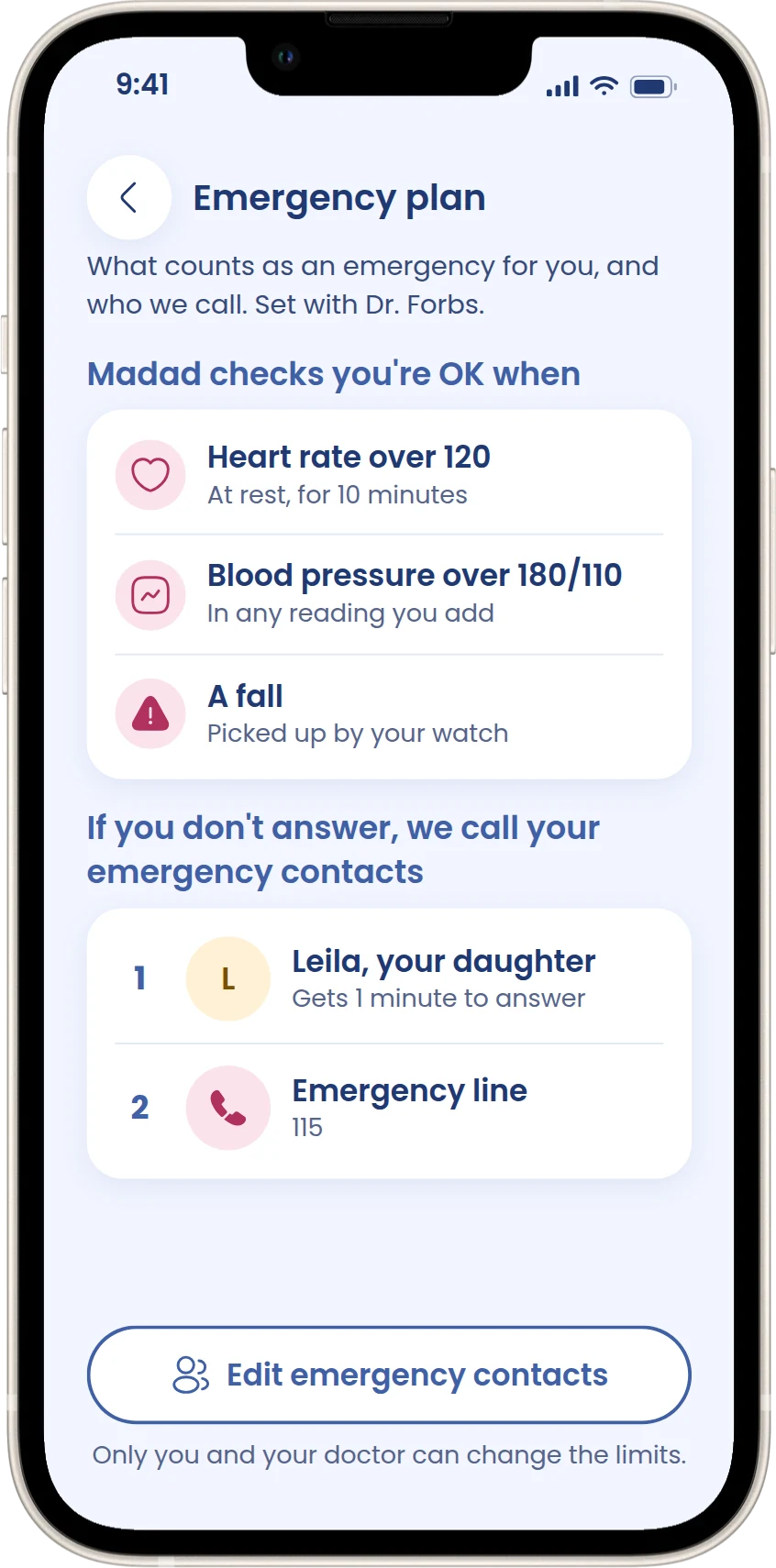
Scroll sideways to see them all.
Reflection
What I learned, and what's still to test
What I learned
Accessibility turned out to be much more than big text. The hardest questions were who the app is really for, and what should happen when someone can't answer. Looking at my first design as if someone else had made it showed me problems I'd stopped noticing.
What I'd do next
Test the prototype with older adults and screen-reader users (book a carer, find help, answer "Are you OK?"), and ask doctors which emergency limits make sense and who should be able to change them.